Login
Version: 1.0.0
Route: /login
Who can access: Anyone (unauthenticated)
What this page does
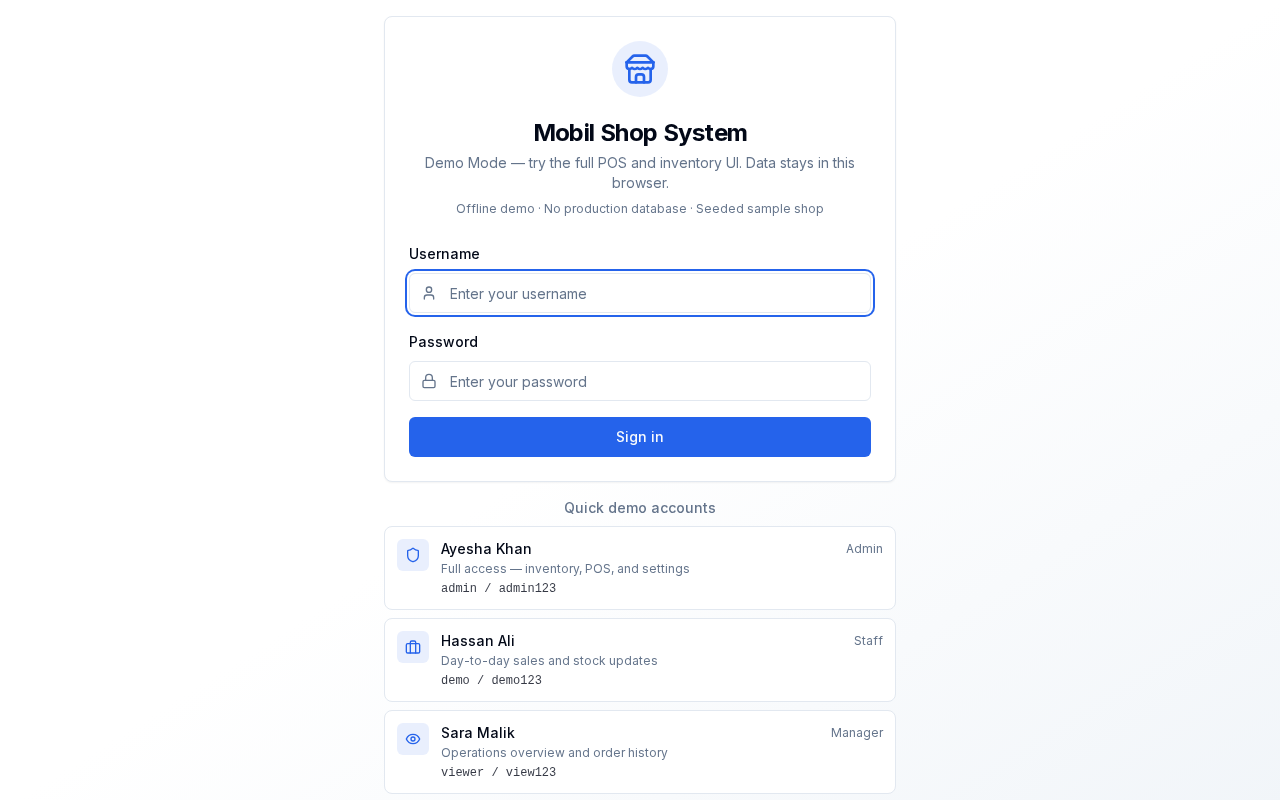
Signs you into Mobil Shop System. In Demo Mode, account cards start an isolated browser sandbox with seeded sample data.
Layout at a glance
- Title and Demo Mode description
- Username and Password fields with Sign in
- Quick demo accounts cards (Admin, Staff, Manager)
Steps
- Open
/login. - Either enter a username and password and click Sign in, or click a demo account card.
- After a successful login you are taken to the Dashboard (
/).
Demo accounts
Credentials appear on each card on this screen. Prefer the cards so the correct sandbox is seeded.
Errors & edge cases
- Empty fields show: “Please enter both username and password”.
- Wrong credentials show an invalid username/password message.
- Already signed-in users are redirected to the Dashboard.