Order History
Version: 1.0.0
Route: /orders
Who can access: Signed-in users
What this page does
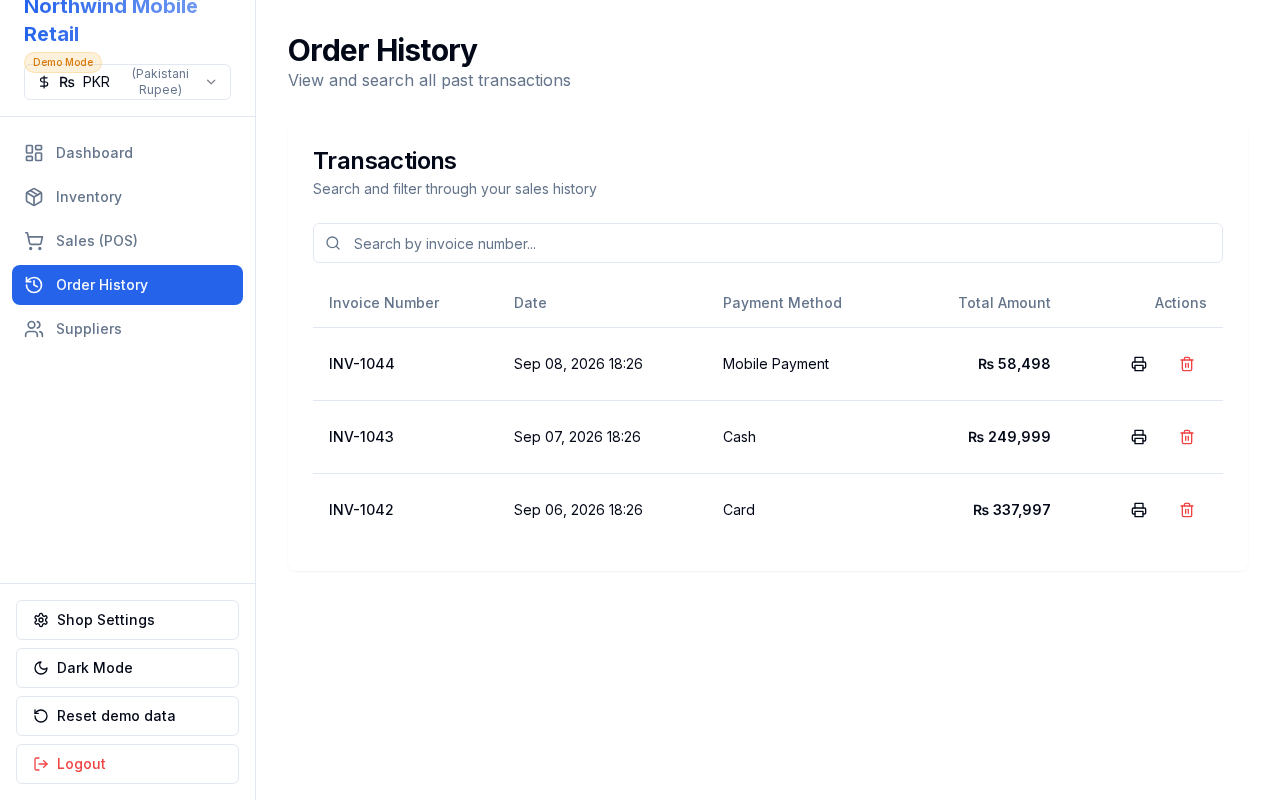
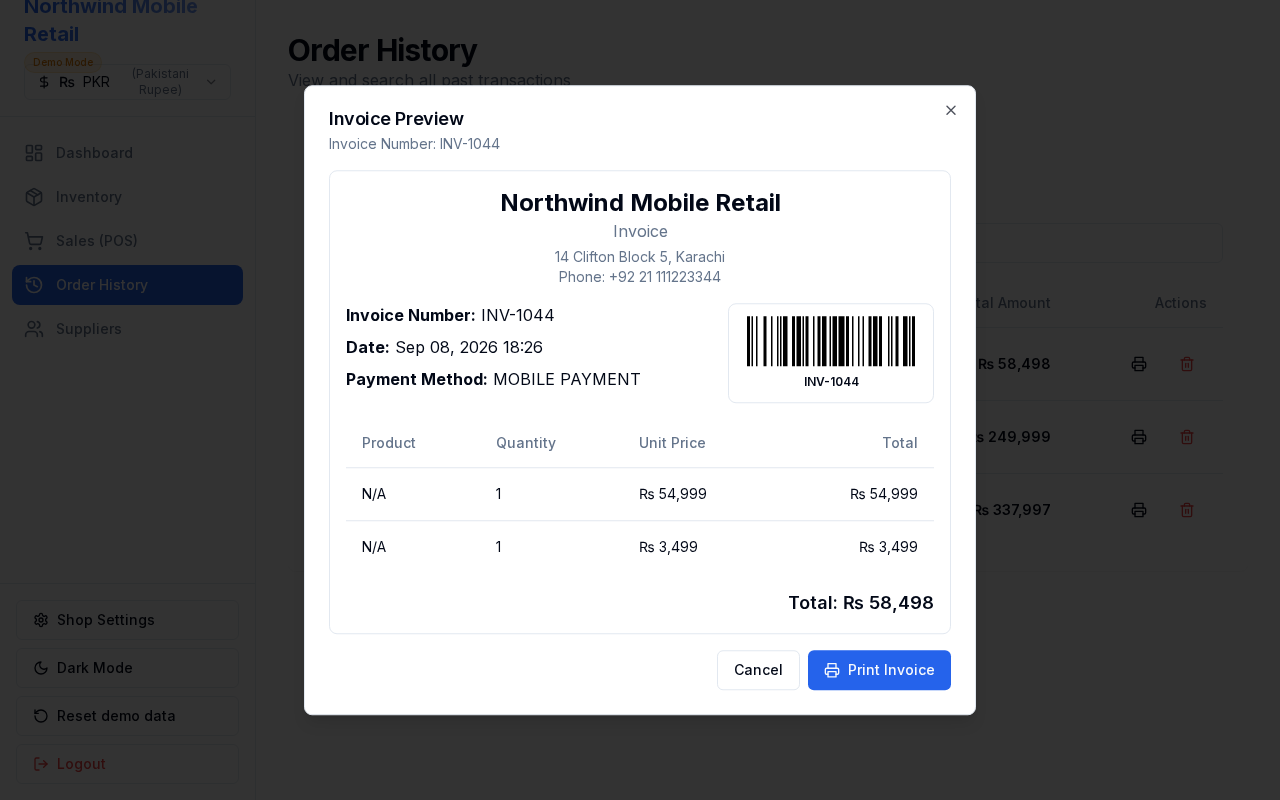
Browse past sales, search invoices, preview or print barcode invoices, and delete orders (restoring stock when deleted).
Layout at a glance
- Search box for invoice number or amount
- Table of sales with date, total, and payment method
- Print and delete actions per row
Steps — preview / print
- Open Order History.
- Optionally search for an invoice.
- Click the print icon on a row (Print Invoice).
- Review the Invoice Preview dialog.
- Click Print Invoice to print, or Cancel to close.
Steps — delete an order
- Click the delete icon on a row.
- Confirm in the Delete Order dialog.
- Stock for the sold items is restored.
Errors & edge cases
- Deleting is permanent for that invoice record; confirm carefully.
- Empty history appears until sales are completed in POS.