Login
Version: 1.0.1
Route: /login
Who can access: Guests (public). Signed-in users are redirected to their first allowed page.
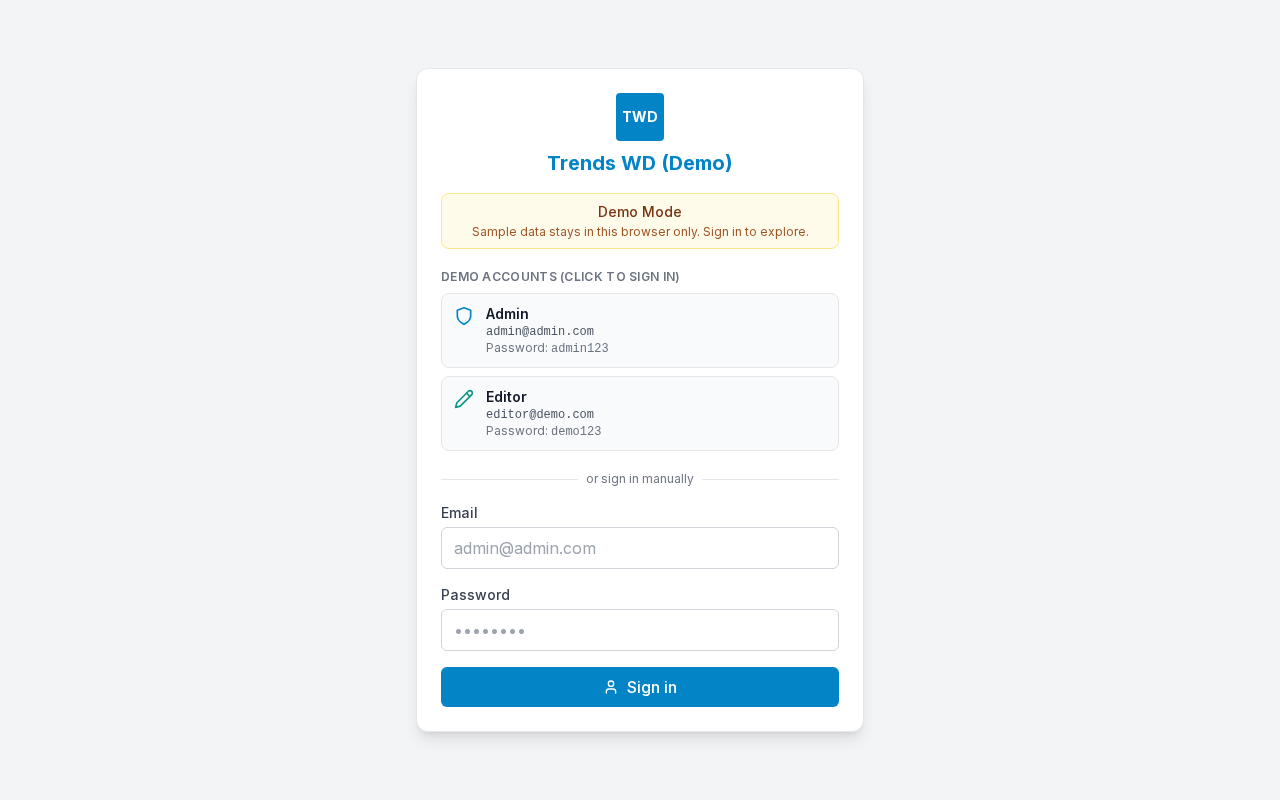
What this page does
Sign in with email and password. After a successful login, the app sends you to the first page you have View permission for.
Layout at a glance
| Area | Content |
|---|---|
| Brand | Business name / logo |
| Demo Mode only | Amber Demo Mode banner + Admin / Editor quick cards |
| Form | Email, Password, Sign in |
Steps
Production app
- Open the app URL (or go to
/login). - Enter Email (for example
admin@admin.com). - Enter Password.
- Click Sign in.
- Wait for redirect to Dashboard or another allowed page.
Demo Mode extras
- Use a Demo accounts card (Admin or Editor) for one-click sign-in, or fill the form manually.
- Demo credentials stay visible on the cards.
| Role | Password | |
|---|---|---|
| Admin | admin@admin.com | admin123 |
| Editor | editor@demo.com | demo123 |
Form fields
| Label | Type | Required | Notes |
|---|---|---|---|
| Yes | Login ID | ||
| Password | password | Yes | Min length enforced by server / demo auth |
Redirect after login
Priority of first viewable page:
- Dashboard
/ - First courier COD
/{slug} - Complaints
- Courier Setup
- Users and Access
- Profile
Optional query: ?redirect=/some-path returns you there after login when allowed.
?error=no-access shows a message when your account has no page View.
Errors & edge cases
| Situation | What you see / do |
|---|---|
| Wrong credentials | Invalid email or password |
| No View on any page | Sign-in fails / no-access message — ask an admin |
| Already signed in | Visiting /login redirects away |
| Network / server down | Network error (production) |