Courier Setup
Version: 1.0.1
Route: /settings/courier-setup (/settings redirects here)
Who can access: Users with View on settings-courier-setup
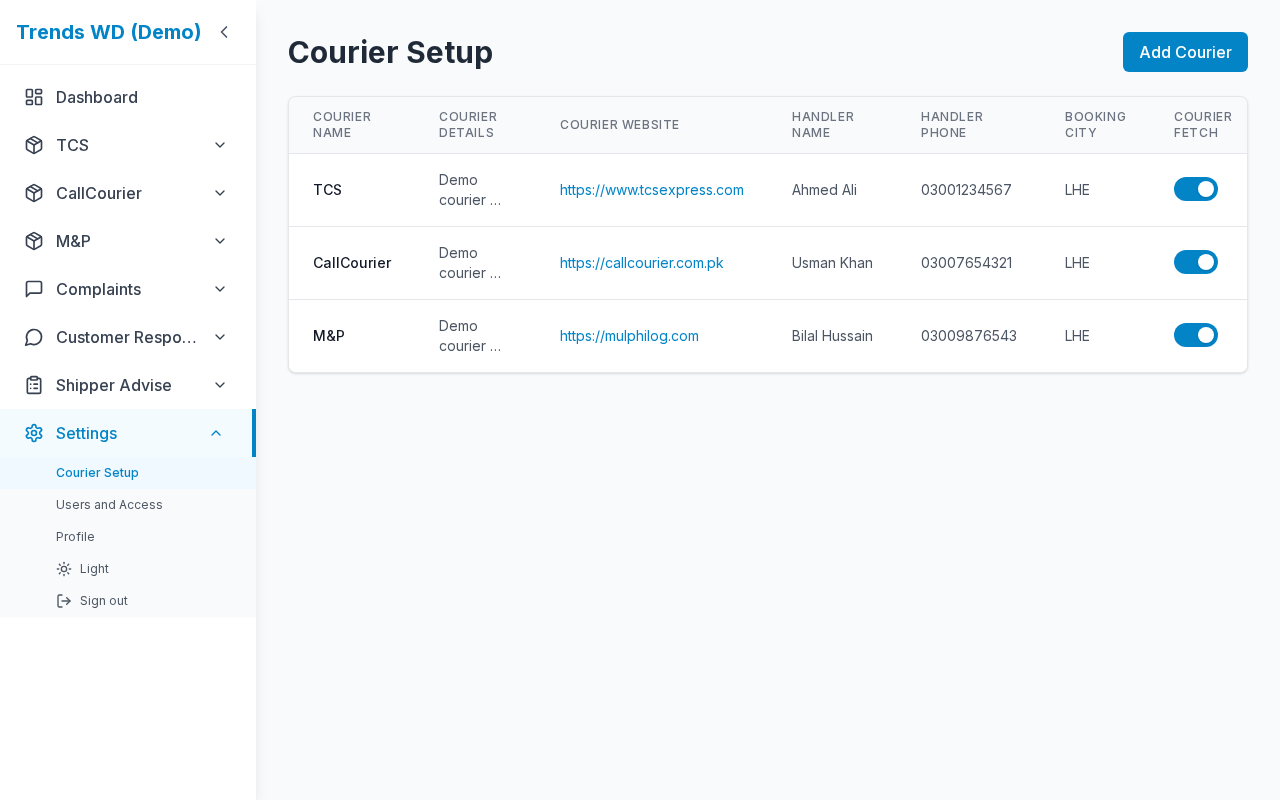
What this page does
Create and maintain couriers. Each courier gets a unique slug used in the sidebar and URLs like /{slug}.
Layout at a glance
| Area | Content |
|---|---|
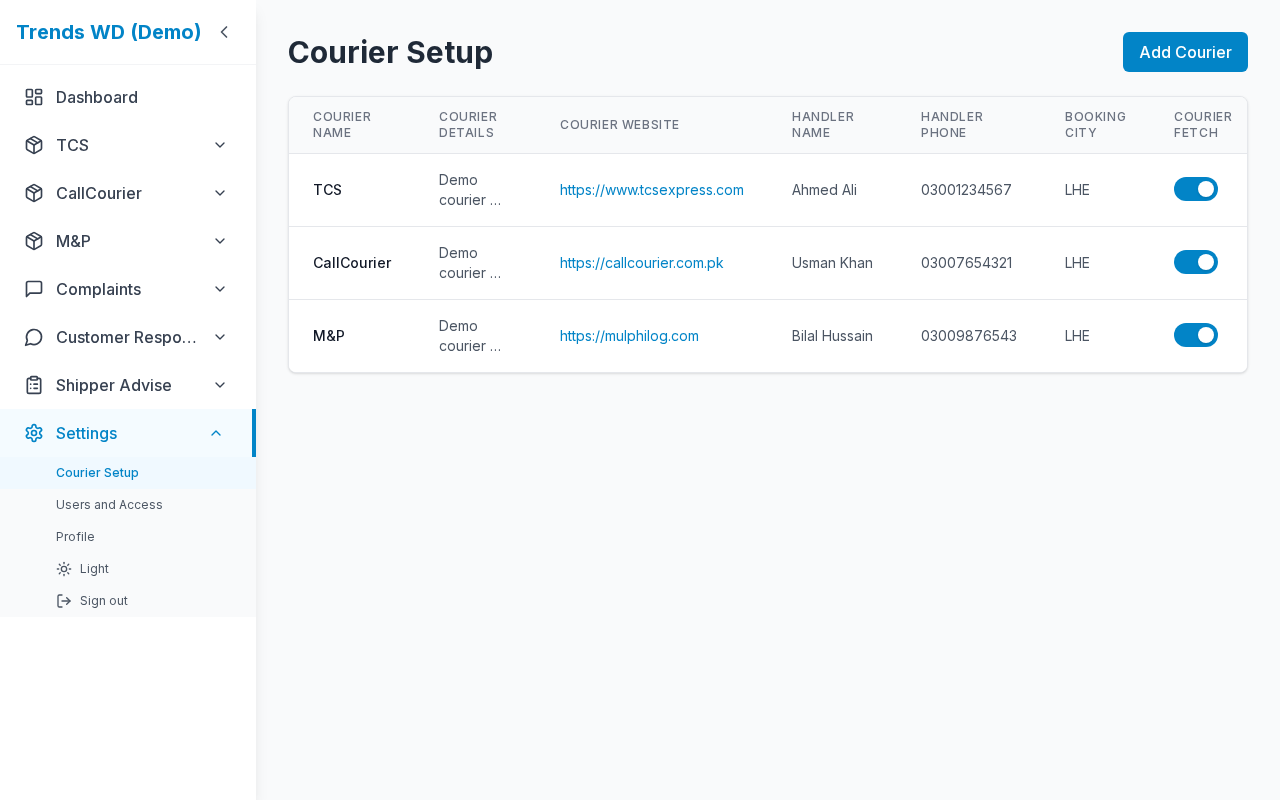
| List | Desktop table + mobile cards: name, details, website, handler, booking city, Courier Fetch |
| Actions | Add / Edit / Delete (permission-gated); Courier Fetch toggle on the list |
| Modal | Courier form (gradient FormModal; mobile bottom sheet) |
Steps
- Sidebar → Settings → Courier Setup.
- Review the courier list.
- Click Add courier (Edit) → fill the form → Save.
- Confirm the new courier appears in the sidebar and opens at
/{slug}. - Edit or delete existing couriers as needed (Delete may be blocked if shipments exist — follow on-screen guard).
Form fields
| Label | Required | Notes |
|---|---|---|
| Name | Yes | Display name (slug derived) |
| Details | No | Notes |
| Website | No | Tracking / courier site |
| Handler name | No | Account contact |
| Handler phone | No | Call / WhatsApp |
| Booking City | No | Origin city code for Courier Fetch (e.g. GUJ) |
| Courier Fetch | No | Toggle: include this courier in Courier Fetch |
Permissions
| Action | Need |
|---|---|
| View | settings-courier-setup View |
| Add / Edit | Edit |
| Delete | Delete |
Errors & edge cases
| Situation | Notes |
|---|---|
| Reserved slug | Cannot use reserved app segments (login, settings, …) |
| Delete with data | Guard may prevent deletion until shipments cleared |