Login
Version: 1.0.1
| Route | /login |
| Access | Public (no session required) |
| Sidebar | Hidden |
| Permission key | — |
Purpose
Authenticate users before they can use the application. There is no self-registration — an Admin creates accounts under Users and Access.
On the hosted Demo Mode, the login screen also shows clickable demo account cards (Admin, Editor, Viewer). Choose a card to sign in, or enter credentials manually.
Screenshot — full page
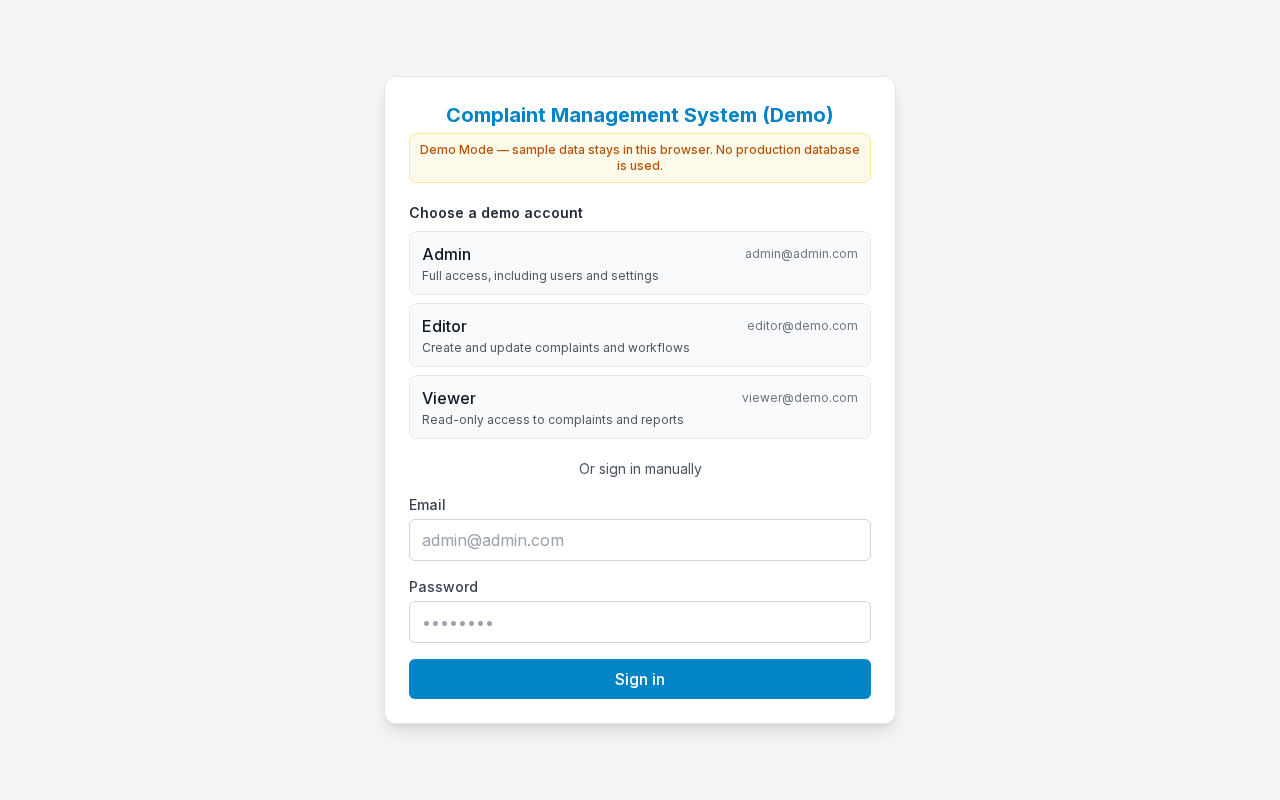
Centered login card: Demo Mode notice, demo account cards, email, password, and Sign in.
Layout — what is on the screen
| Area | Detail |
|---|---|
| Background | Full-page centered layout (light/dark follows browser theme default before login) |
| Card | White/dark card with border and shadow |
| Heading (h1) | Complaint Management System (Demo) on Demo Mode |
| Demo notice | Tasteful Demo Mode banner |
| Account cards | Admin, Editor, Viewer — click to sign in |
| Fields | Email, Password |
| Primary button | Sign in (shows Signing in… while submitting) |
| Error banner | Red box above the form (only after a failed attempt) |
| Loading state | Loading… while session is checked |
Sub-details — form fields
| Label | |
| Placeholder | admin@admin.com |
| Autocomplete | |
| Required | Yes |
Password
| Label | Password |
| Placeholder | masked (••••••••) |
| Autocomplete | current-password |
| Required | Yes |
Sign in button
- Click Sign in.
- Button label changes to Signing in… until the request finishes.
- On success → redirect to
?redirect=(if present) or Dashboard (/). - On failure → red error message; you stay on Login.
Step-by-step — Sign in
- Open
/login(or any protected URL — middleware sends you here with?redirect=…). - On Demo Mode, click an account card (Admin, Editor, or Viewer), or enter Email and Password.
- If signing in manually, click Sign in.
- Wait until Signing in… finishes.
- You land on Dashboard (or the original page).
Step-by-step — Already logged in
- Open
/loginwhile a valid session cookie exists. - App redirects you away (Dashboard or redirect target).
- You do not need to sign in again.
Step-by-step — Sign out (returns here)
- On any authenticated page, expand Settings in the sidebar.
- Click Sign out.
- Session cookie is cleared.
- You return to
/login.
Related sidebar screenshot: Profile / Settings · image 16-sidebar-settings.png.
Errors — sub-details
| Message | When it appears | What to do |
|---|---|---|
| Invalid email or password | Credentials do not match | Check the email and password, or use a demo account card |
| Loading… | Session check in progress | Wait briefly |
Session — sub-details
| Topic | Detail |
|---|---|
| Cookie name | Production: courier_session (httpOnly). Demo Mode: cms_demo_user |
| Lifetime | 7 days |
| After expiry | Next request → redirected to Login |
| Who creates users | Admin only (no public register) |
Demo Mode logins
Demo accounts are shown as cards on this screen. Production deployments use accounts created by an administrator — change the default schema password immediately.