Dashboard
Version: 1.0.1
| Route | / (also /dashboard → redirects here) |
| Access | Users with View on Dashboard |
| Permission key | dashboard |
Purpose
At-a-glance complaint volume by status, priority, and complaint type. Filter by date, open filtered Complaints lists, or create a new complaint.
Screenshot — main view
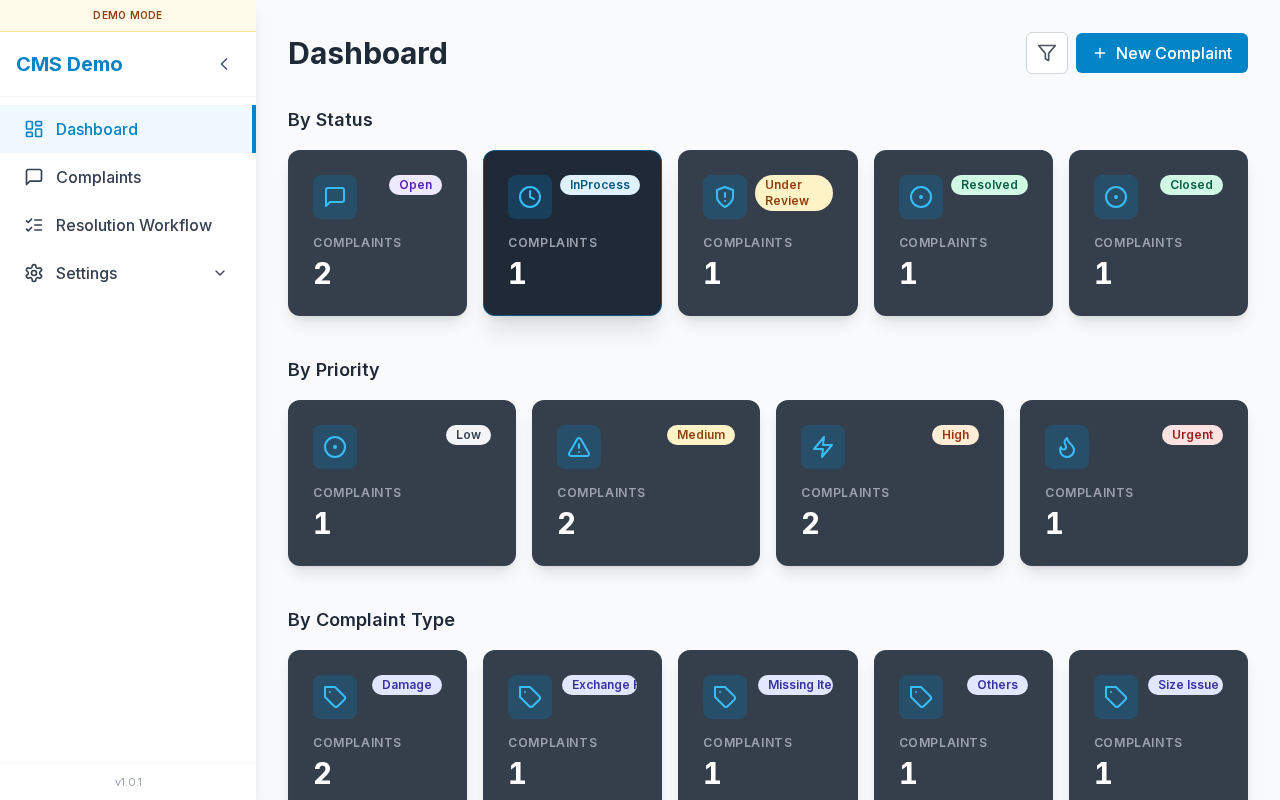
Header (title, filter, New Complaint) and three stat sections with clickable cards.
Layout — regions
| Region | Contents |
|---|---|
| Page title | Dashboard |
| Filter control | Calendar/filter icon (needs Complaints View) |
| Primary action | New Complaint (needs Complaints Edit) |
| Section 1 | By Status |
| Section 2 | By Priority |
| Section 3 | By Complaint Type |
| Sidebar | Navigation + version footer |
Sub-details — header
Title & filter hint
- Default title: Dashboard
- When a date filter is active:
Filtered by complaint date from {From} to {To}(or one-sided range)
Filter button
| Control | Icon button |
| aria-label | Filter dashboard by date range |
| title | Filter dashboard by complaint date |
| Permission | Complaints View |
New Complaint button
| Label | New Complaint |
| Permission | Complaints Edit |
| Opens | Same form as Complaints → Add (see below) |
Sub-details — date filter popover
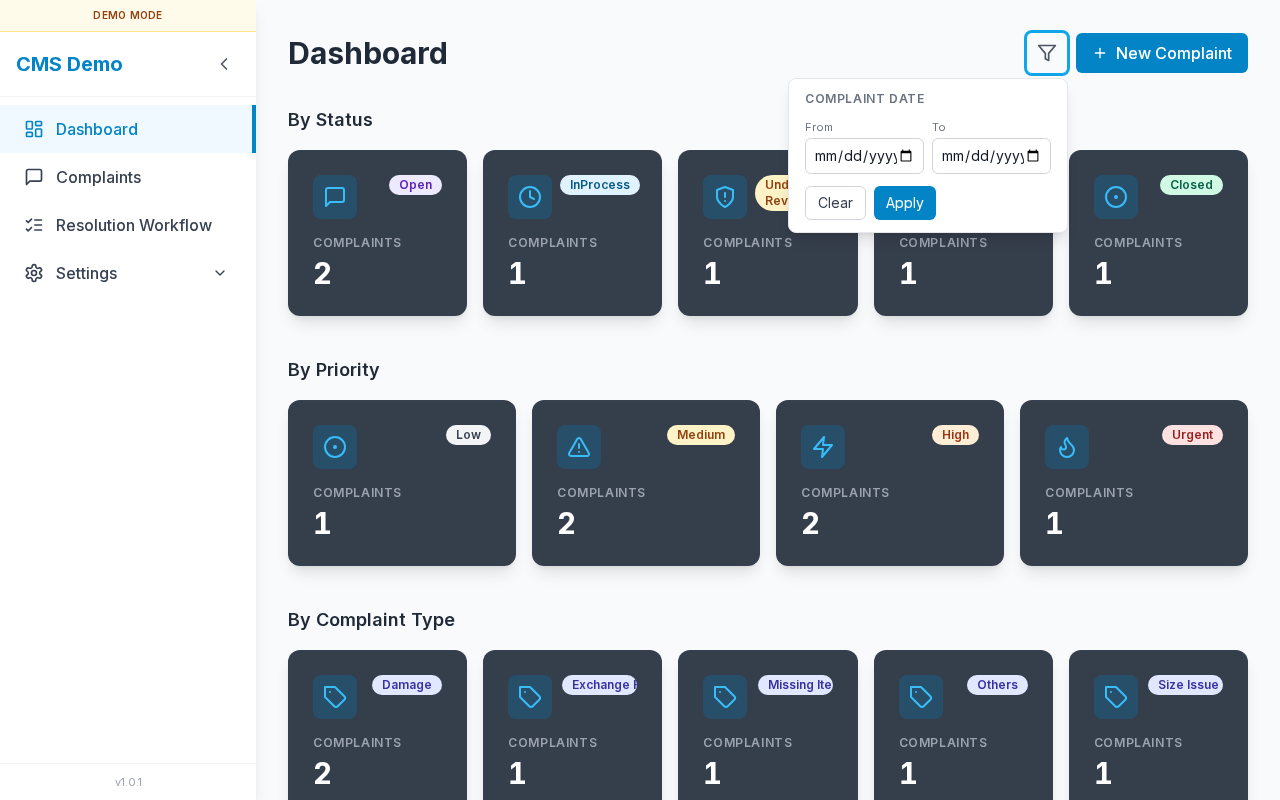
Complaint Date From / To with Clear and Apply.
| Control | Detail |
|---|---|
| Section label | Complaint Date |
| From | Date input |
| To | Date input |
| Clear | Removes From/To and closes filter effect |
| Apply | Recalculates all three stat sections |
Steps — apply a date filter
- Click the Filter icon.
- Set From and/or To.
- Click Apply.
- Cards update; subtitle shows the active range.
- Click Clear to reset.
Sub-details — By Status cards
| Card label | Meaning |
|---|---|
| Open | New / not yet in progress |
| InProcess | Being worked |
| Under Review | Under review |
| Resolved | Resolved |
| Closed | Closed |
Each card shows a count and caption Complaints.
Steps — open filtered Complaints by status
- Click a status card (e.g. Open).
- Browser goes to
/complaintswith that status (and date range if set) in the query string. - Complaints list is pre-filtered.
Sub-details — By Priority cards
| Card | Enum value |
|---|---|
| Low | Low |
| Medium | Medium |
| High | High |
| Urgent | Urgent |
Click a card → Complaints filtered by that priority.
Sub-details — By Complaint Type cards
- One card per type from Complaint Type settings.
- Examples: Size Issue, Damage, Exchange Request, Missing Items, Others.
- Click → Complaints filtered by that type name.
Sub-details — New Complaint from Dashboard
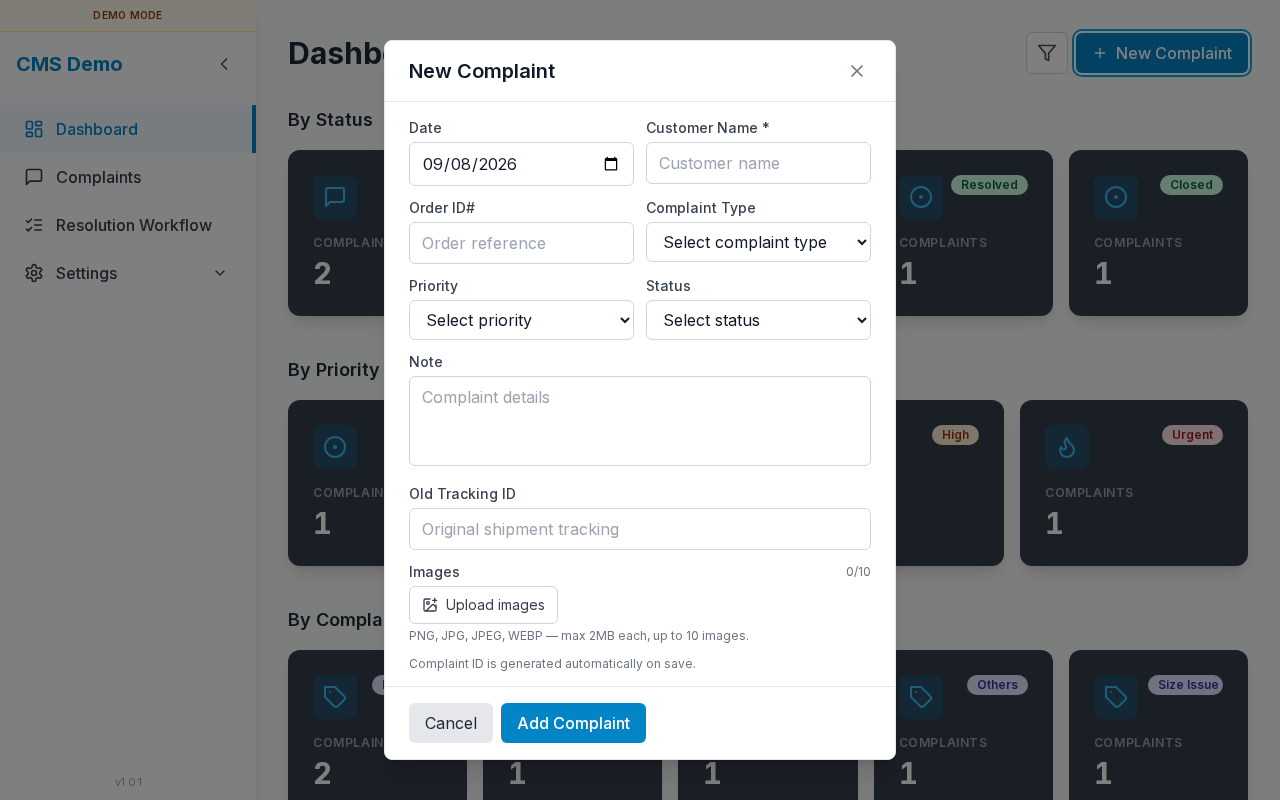
Shared New Complaint form (fields match Complaints → Add).
Steps
- Click New Complaint.
- Fill Date, Customer Name *, Order ID#, Complaint Type, Priority, Status, Note, Old Tracking ID, Images.
- Click Add Complaint (or Cancel).
- On success the modal closes and Dashboard counts refresh.
Full field reference: Complaints — Add / Edit form.
Sub-details — theme (dark mode)
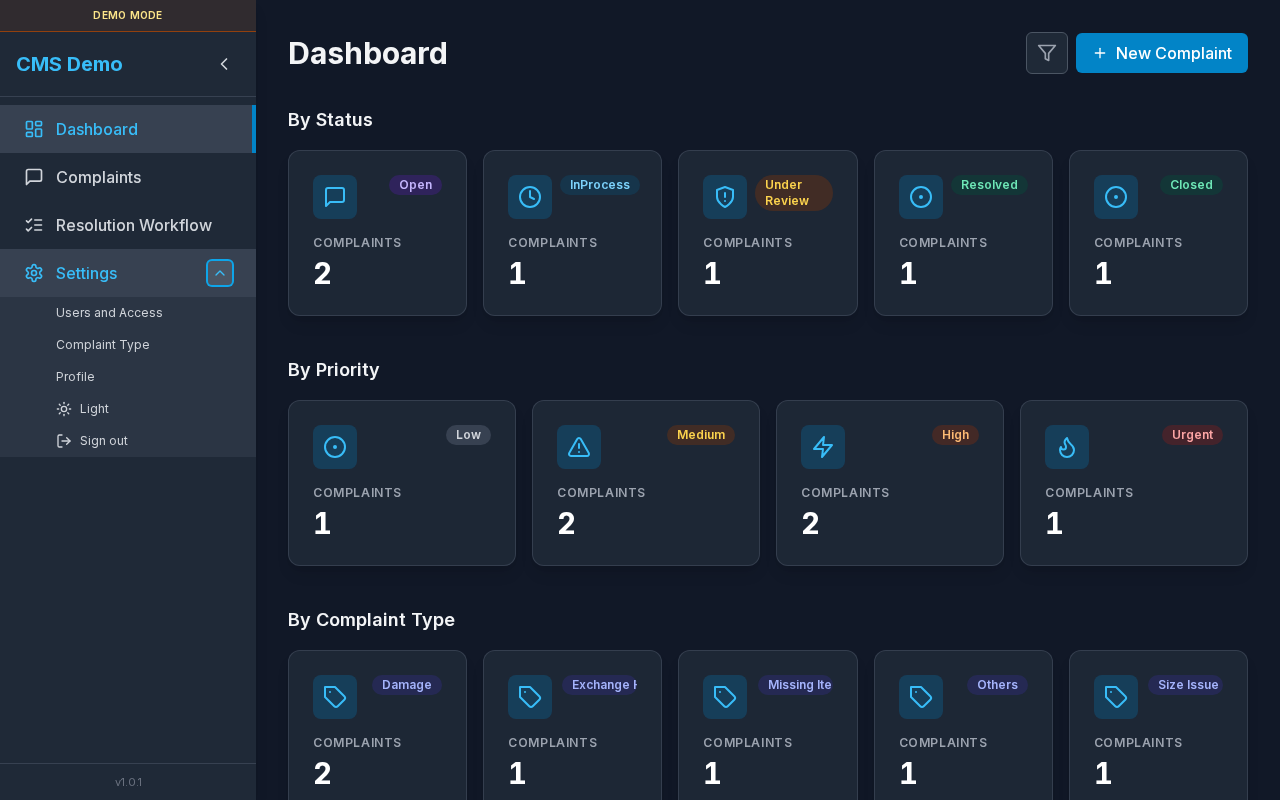
Same Dashboard layout with dark theme.
Steps — switch theme
- Expand Settings in the sidebar.
- Click Dark or Light.
- Preference is stored in the browser (
themekey). - Dashboard (and all pages) update immediately.
Sub-details — mobile layout
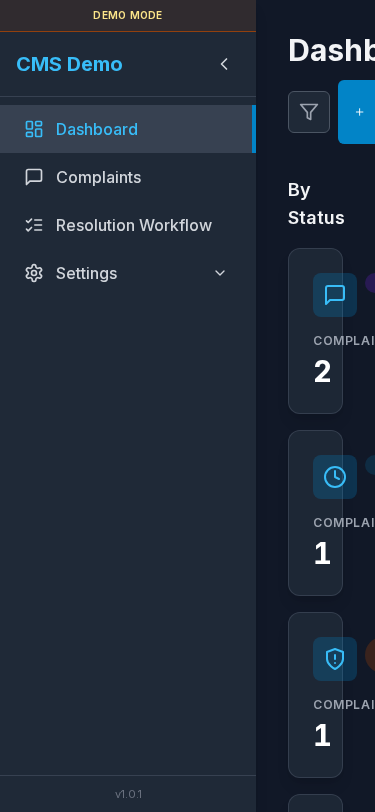
Narrow viewport: sidebar collapsed/icon rail; cards stack vertically.
Errors & access
| Situation | UI |
|---|---|
| No Dashboard view | “You do not have access to this page.” |
| Counts failed to load | Red banner + Retry |