Complaint Print
Version: 1.0.1
| Route | /complaints/[id]/print |
| Access | Users with View on Complaints |
| Permission key | complaints |
| Sidebar | Hidden |
Purpose
Printable / PDF-ready summary of one complaint: branding, details, tracking, note, images, and resolution workflows.
Screenshot — print preview
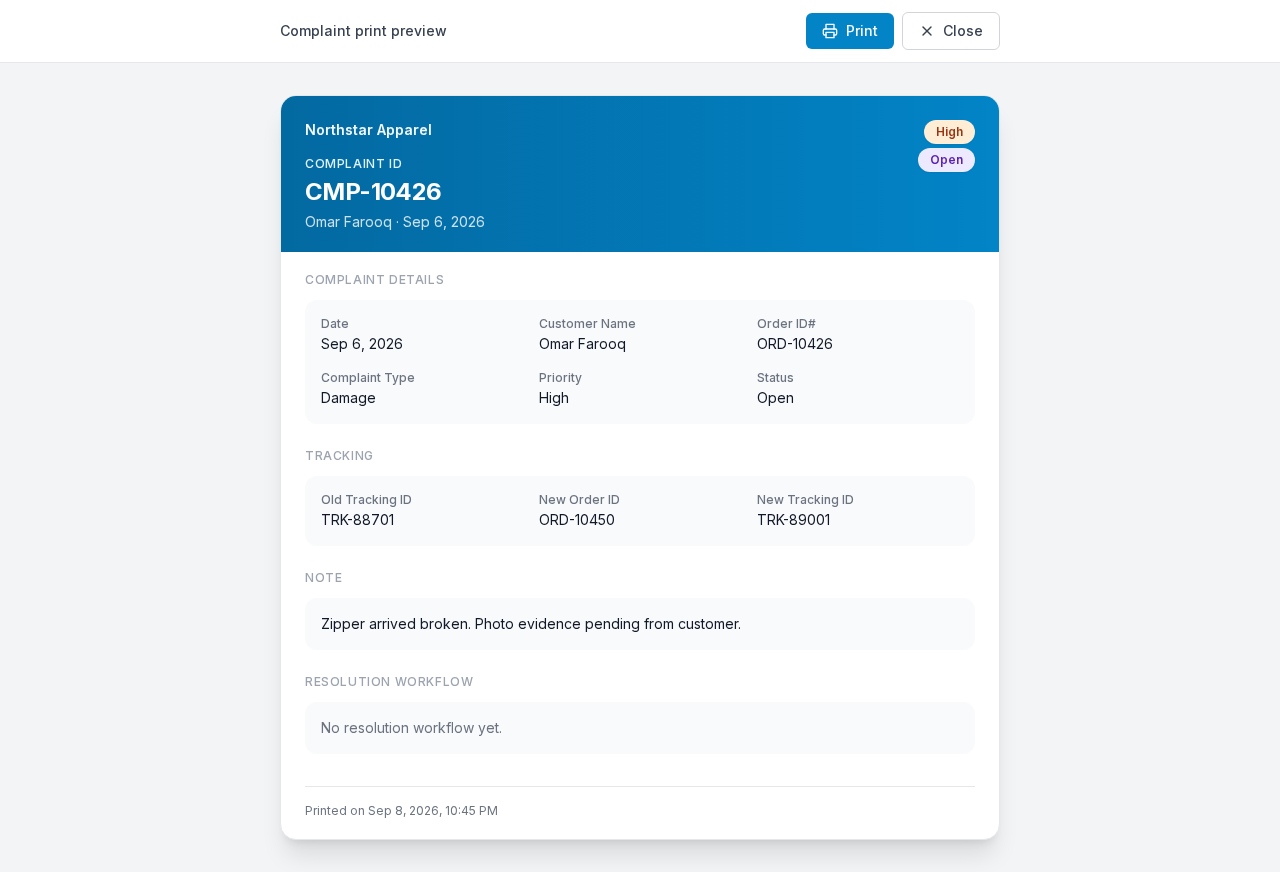
Toolbar (Print / Close) above the printable document with business header and complaint sections.
Layout — regions
| Region | Contents |
|---|---|
| Toolbar | Label Complaint print preview · Print · Close |
| Document header | Business logo + business name · Complaint ID · customer · date · badges |
| Body sections | Complaint Details · Tracking · Note · Images · Resolution Workflow |
| Footer | Printed on {timestamp} |
Browser tab title: Print {Complaint ID}.
Sub-details — toolbar
| Control | Action |
|---|---|
| Opens the browser print dialog (choose printer or Save as PDF) | |
| Close | Closes the tab/window |
Steps — print to PDF / paper
- Open this page from Complaints detail (Print icon).
- Click Print.
- Select printer or Save as PDF.
- Confirm.
- Click Close when done.
Sub-details — document header
| Element | Source |
|---|---|
| Logo | Admin Business profile |
| Business name | Same |
| Eyebrow | Complaint ID |
| H1 | Complaint ID value (e.g. CMP-00001) |
| Line under title | Customer name · formatted date |
| Badges | Priority · Status |
Sub-details — Complaint Details section
Heading: Complaint Details
| Label | Content |
|---|---|
| Date | Complaint date |
| Customer Name | Customer |
| Order ID# | Order reference |
| Complaint Type | Type name |
| Priority | Priority value |
| Status | Status value |
Sub-details — Tracking section
Heading: Tracking
| Label | Content |
|---|---|
| Old Tracking ID | Original shipment tracking |
| New Order ID | From resolution (if any) |
| New Tracking ID | From resolution (if any) |
Sub-details — Note section
Heading: Note
Full note text, or empty if none.
Sub-details — Images section
Heading: Images
- Embedded evidence images, or empty if none were uploaded.
Sub-details — Resolution Workflow section
Heading: Resolution Workflow
| State | Display |
|---|---|
| None | No resolution workflow yet. |
| One or more | Workflow 1, Workflow 2, … |
Per workflow fields:
| Label | Content |
|---|---|
| Resolution Type | e.g. Item Replace |
| Refund Amount | Shown for Full Refund; otherwise — |
| Priority Override | |
| Status | |
| New Order ID | |
| New Tracking ID | |
| Agent Note |
How to open this page (from Complaints)
Detail modal (Print icon is in the header):
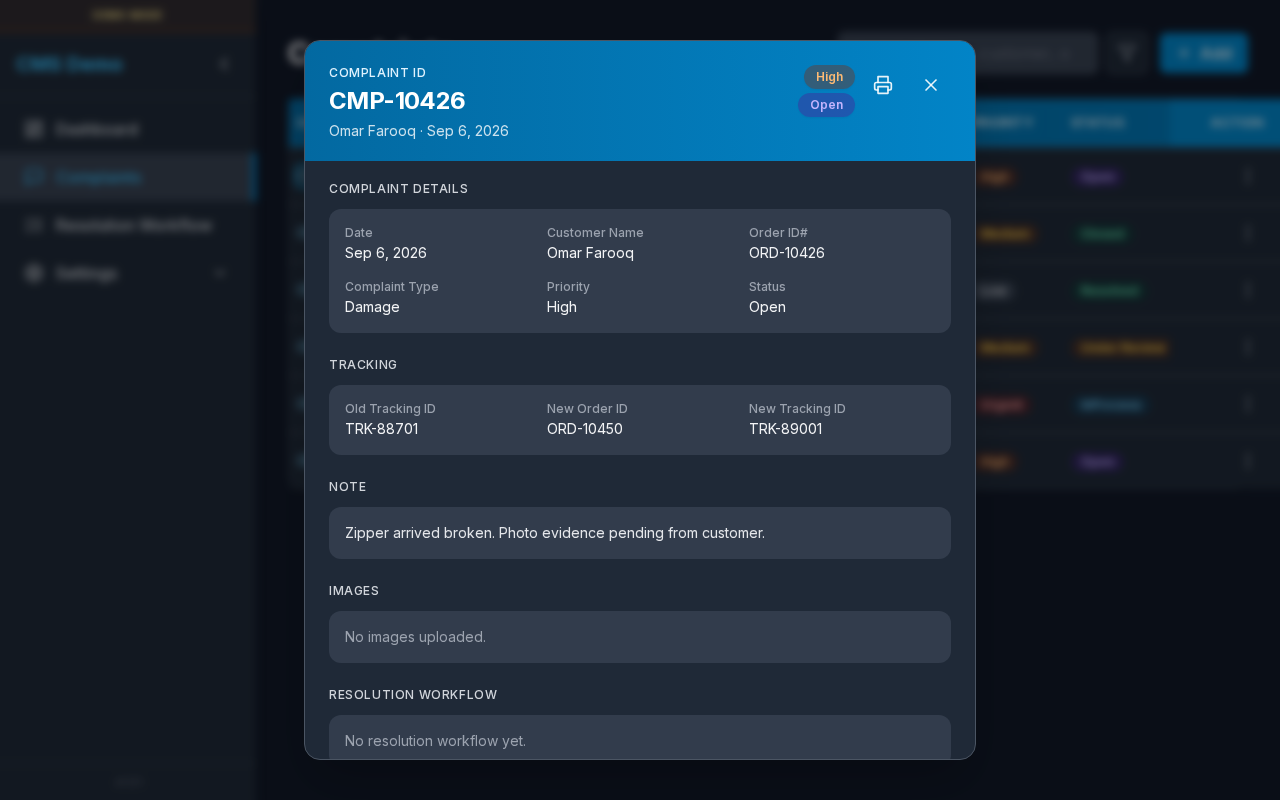
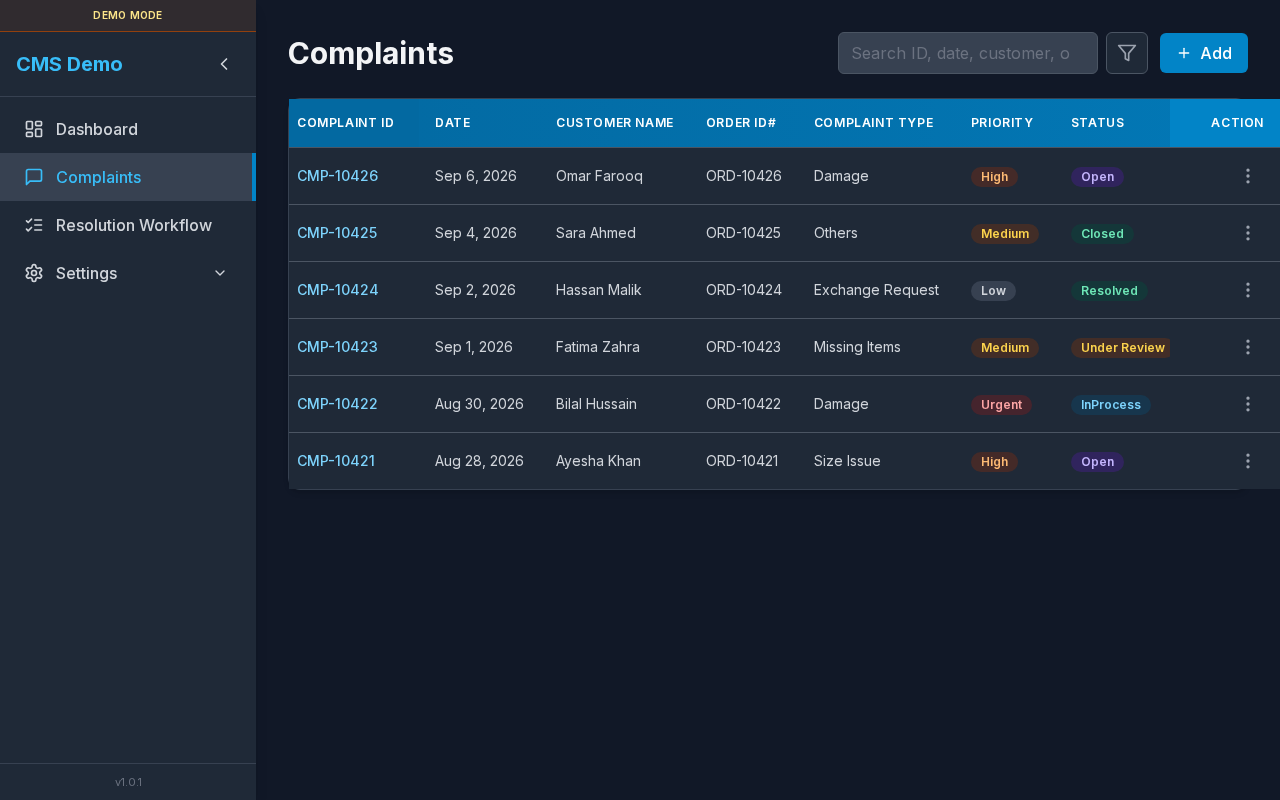
Complaints list:
Steps
- Go to Complaints.
- Click a Complaint ID.
- In the detail header, click the Print icon (aria: Print complaint details).
- A new tab opens at
/complaints/{uuid}/print.
Errors & loading
| Situation | Message |
|---|---|
| Loading | Loading print details… |
| No permission | You do not have access to print complaint details. |
| Missing ID / not found | Complaint not found. |
Related
- Complaints
- Profile (branding)
- Resolution Workflow