Login
Version: 2.1.2
Route: /login
Who sees it: Anyone who is not signed in. Protected pages redirect here automatically.
What this page does
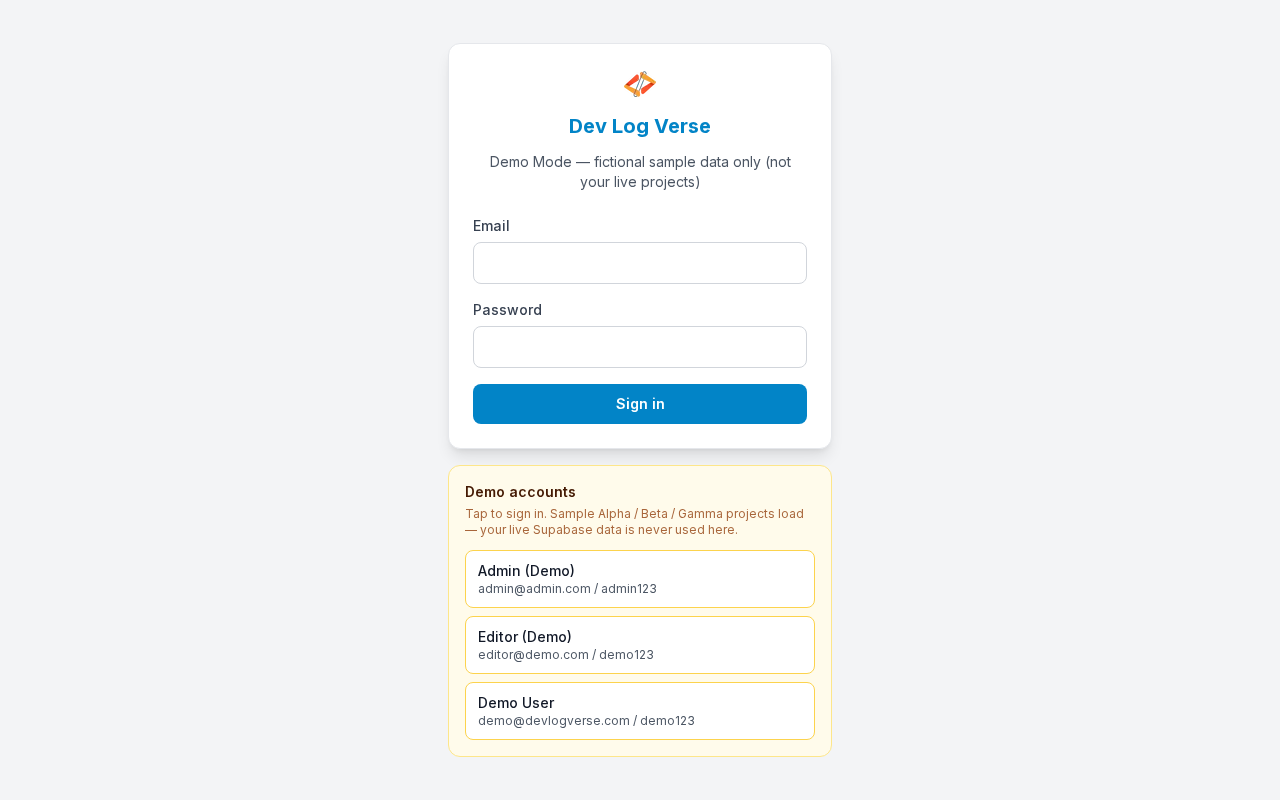
Sign in with email and password to open your workspace (Overview).
Steps
- Open the app URL (local default:
http://localhost:3000). - If you are not logged in, you land on Login.
- Check the brand heading Dev Log Verse and the subtitle Sign in to continue.
- Enter your Email (field labeled Email).
- Enter your Password (field labeled Password).
- Click Sign in.
- While the request runs, the button shows Signing in….
- On success you are taken to Overview (
/), or to theredirectpath if you were sent here from another page (for example/login?redirect=/profile).
Seed account (first setup)
After running database/schema.sql:
| Field | Value |
|---|---|
admin@admin.com | |
| Password | admin123 |
Change the password later under Profile.
Errors & edge cases
- Wrong email/password → a red error banner appears above the form; stay on Login and try again.
- Empty required fields → the browser blocks submit until Email and Password are filled.
- Already signed in → visiting
/loginsends you into the app instead of showing the form.
Demo Mode note
In Demo Mode (demo-mode, port 3001) the subtitle explains that data is fictional, and a Demo accounts panel lets you tap Admin (Demo), Editor (Demo), or Demo User to sign in without typing. Live product docs use the email/password form only.