Mark Complete & Related Projects
Version: 2.1.2
Where: Each note on Project Chat
Related UI: Dialog Also update these projects
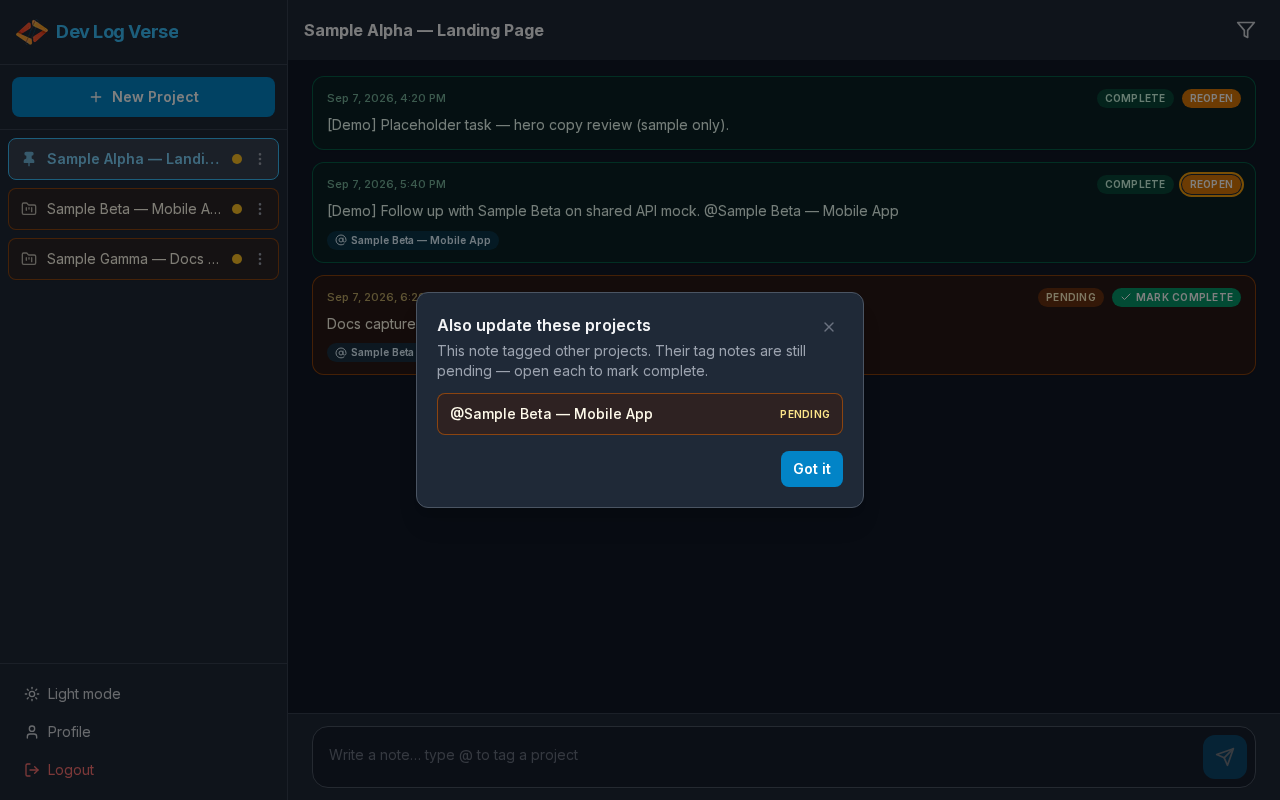
What this does
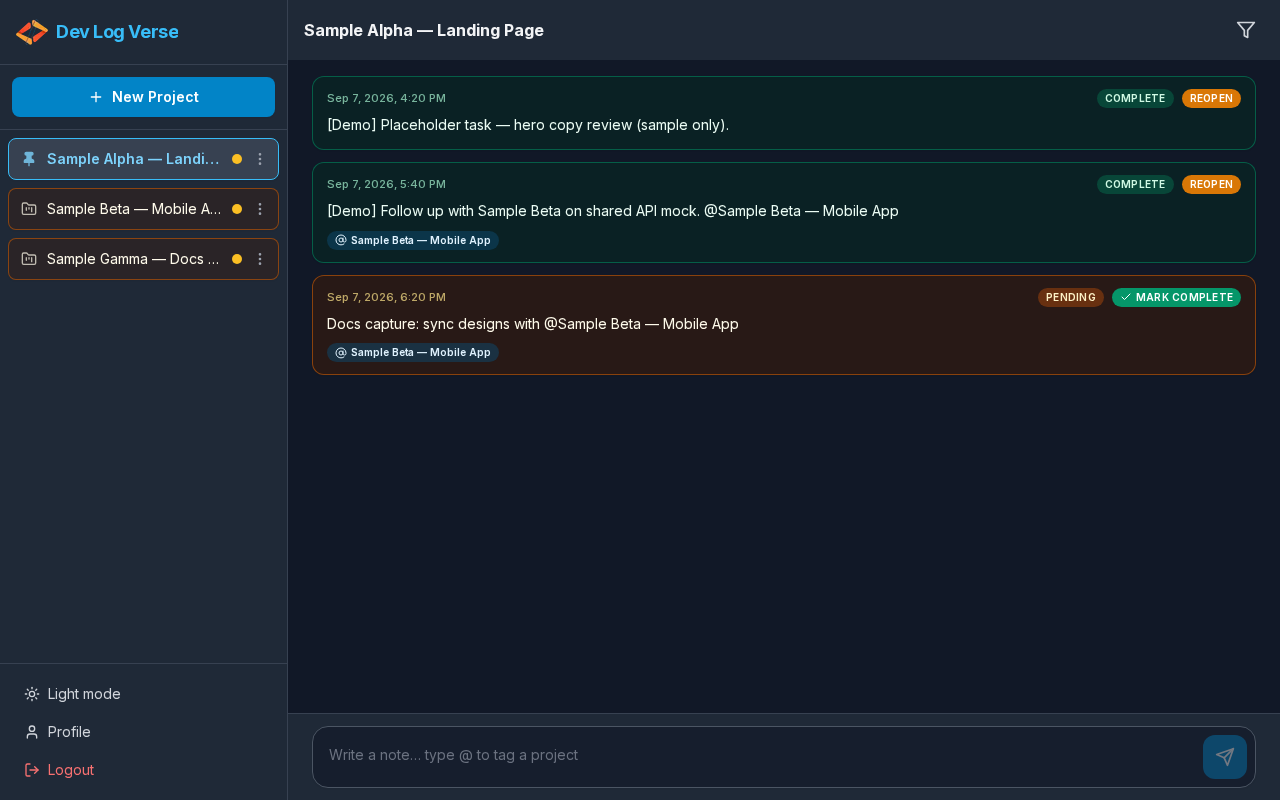
- Mark Complete finishes a pending note (UI updates immediately).
- Reopen returns a completed note to pending.
- Scroll position stays on the note you marked — the list does not jump to the last note (v2.1.0).
- If the note tagged other projects and those tag notes are still pending, a reminder modal lists them so you can open each and finish related work.
Steps — mark a note complete
- Open the project timeline.
- Scroll to the note you want (older notes stay in place after update).
- Click Mark Complete on that note.
- The badge updates to Complete right away.
- The action button becomes Reopen.
- Keep working on nearby notes without scrolling back from the bottom.
Steps — related projects modal (when it appears)
- Mark complete a note that used @ Mentions and still has pending tag notes on other projects.
- The dialog Also update these projects opens.
- Read the explanation: tagged projects may still have pending tag notes.
- Each row shows
@{project name}and Pending. - Click a row to open that project and mark its tag note complete, or
- Click Got it (or Close) to dismiss and continue later.
Steps — reopen a note
- Find a Complete note.
- Click Reopen.
- Status returns to Pending; Mark Complete is available again.
- Scroll stays put (same as Mark Complete).
Tips
- Completing notes can move the parent project toward Completed on Overview when all of its notes are done.
- Use the Note Filter set to Pending to sweep unfinished work.