Note Filter
Version: 2.1.2
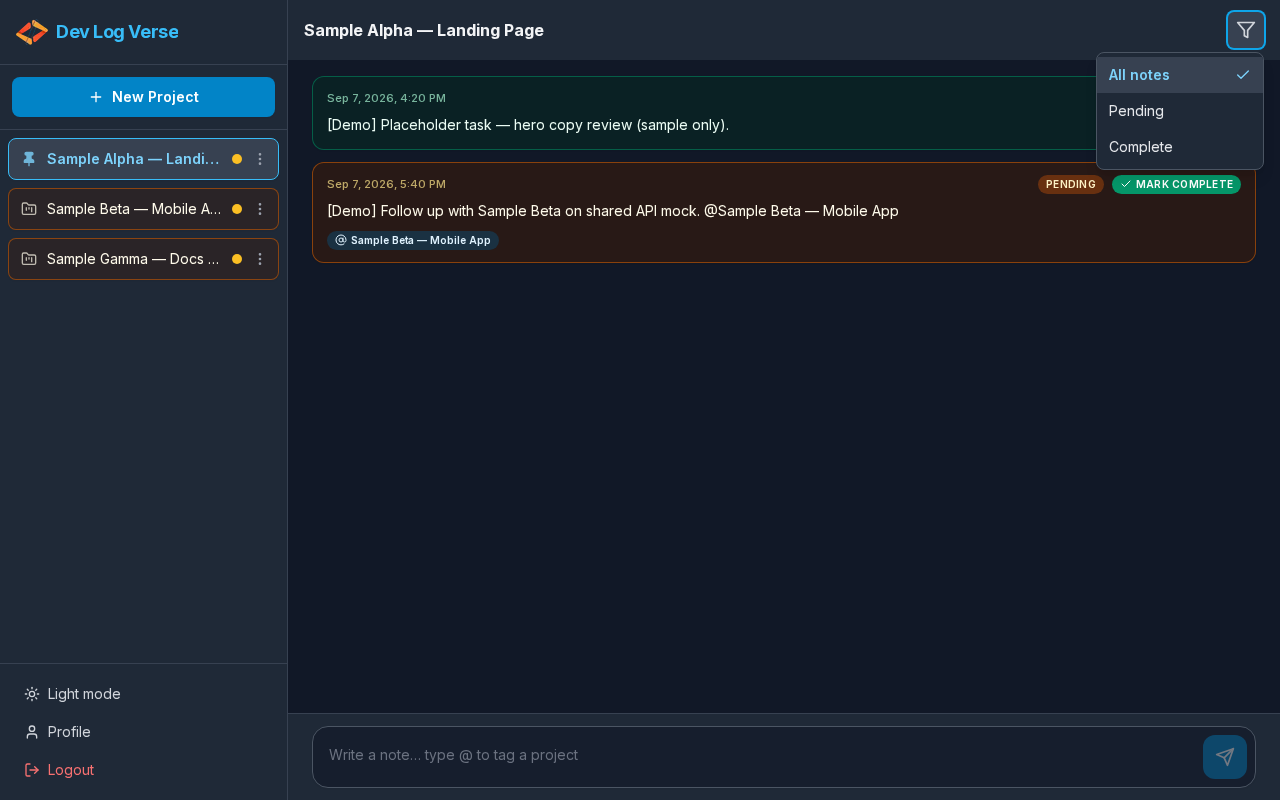
Where: Project Chat header
Control: Button Filter notes by status
What this does
Limits which notes appear in the timeline without leaving the project.
Steps
- Open any project timeline.
- In the project header, click Filter notes by status (filter icon / control).
- A menu opens with three options:
- All notes — every note (default)
- Pending — only unfinished notes
- Complete — only finished notes
- Click the option you want (radio-style: one active at a time).
- The timeline refreshes to match the filter.
- If nothing matches, you see No notes in this filter.
- Press Escape or click outside to close the menu without changing focus unnecessarily.
Tips
- Filtering notes does not change the project’s overall Pending/Completed status on Overview.
- Combine with Mark Complete to clear the Pending list as you finish work.