Dashboard overview
Version: 1.0.0
Route: / (authenticated home)
Who can access: signed-in users

What this page does
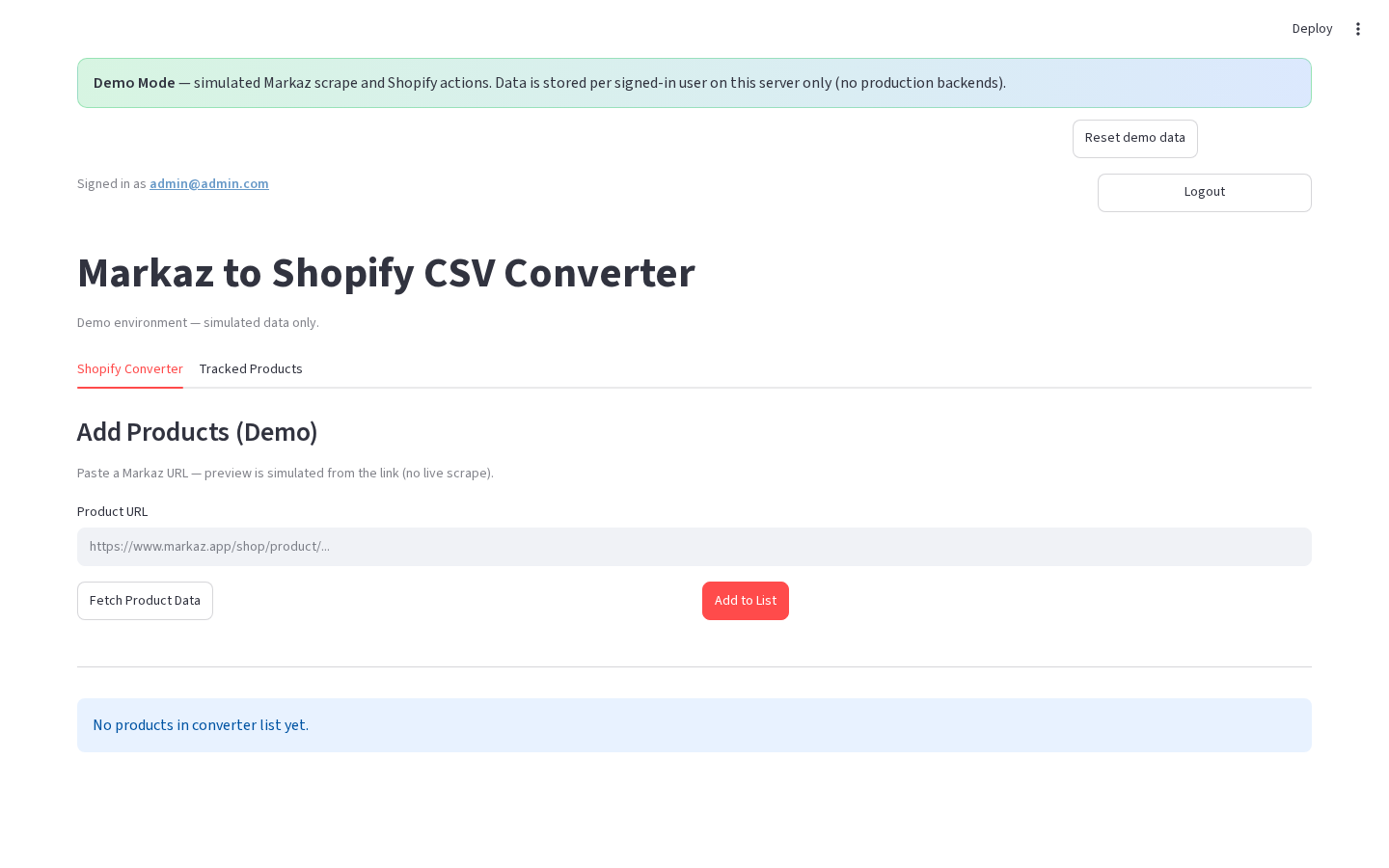
After login you see the main shell: who is signed in, the product title, and a switch between Shopify Converter and Tracked Products.
Layout at a glance
| Area | Content |
|---|---|
| Top | Demo banner (demo only); Signed in as …; Logout |
| Header | Markaz to Shopify CSV Converter + short caption |
| Nav | Production: horizontal radio — Shopify Converter | Tracked Products. Demo: same labels as tabs |
| Main | Active section body |
Steps
- Confirm Signed in as shows your username.
- Choose Shopify Converter to scrape / build a product list.
- Choose Tracked Products to manage saved Markaz URLs.
- Click Logout to clear the session and return to Login.

Permissions
| Action | Allowed |
|---|---|
| View both sections | Yes (all signed-in users) |
| Logout | Yes |
There are no separate View / Edit roles in production.
Errors & edge cases
- If Shopify or Supabase secrets are missing, some buttons disable or show warnings inside each section (the shell still loads).