Product preview and pricing
Version: 1.0.0
Route: / → Shopify Converter → Single → Fetch Product Data
Who can access: signed-in users
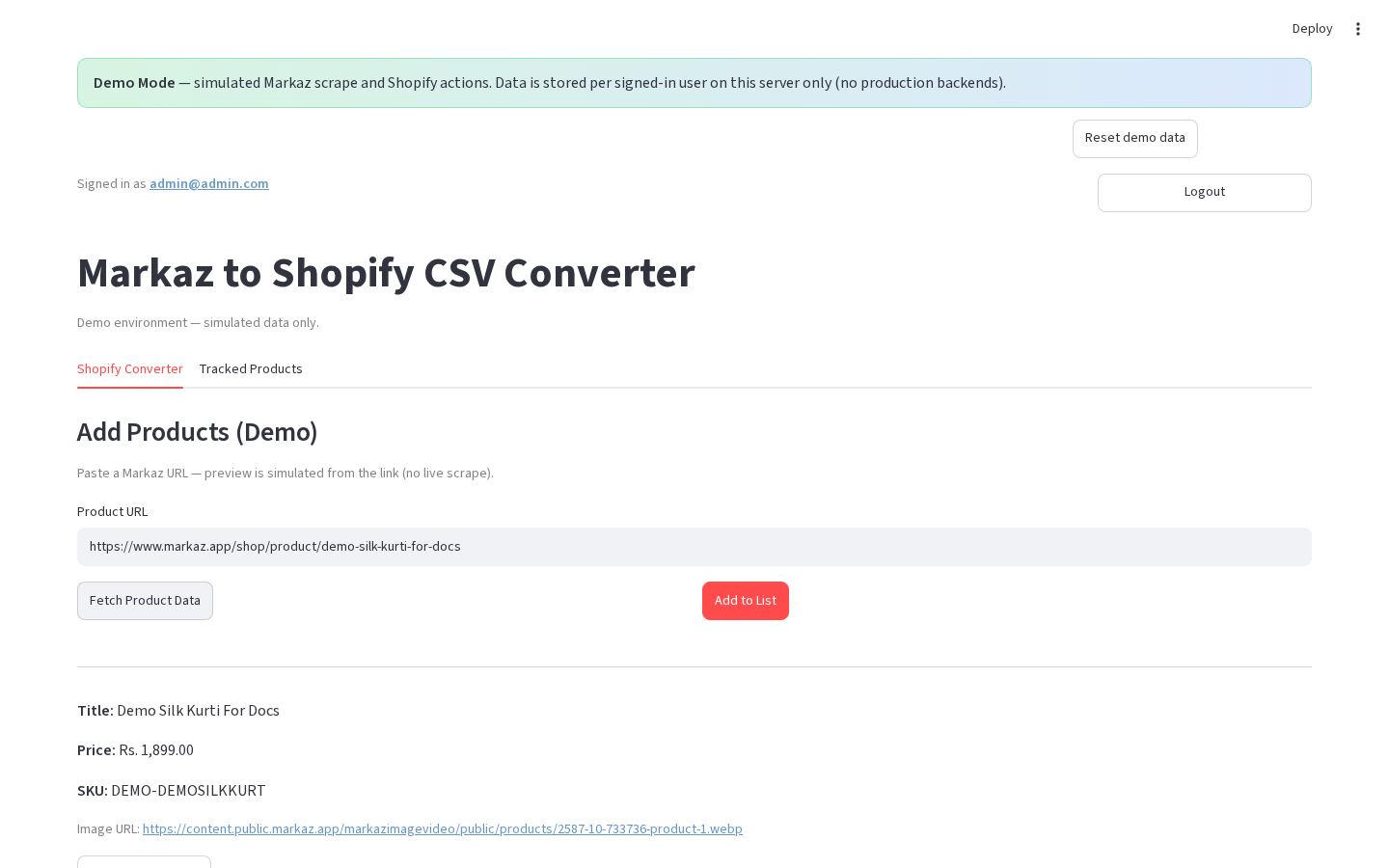
What this page does
Shows scraped (or demo-simulated) product details and lets you adjust Sale Price Adjustment and Compare At Price Adjustment before adding to the list. Defaults come from the global Pricing Settings (Delivery Charges + Margin %) at the top of the Converter tab.
Layout at a glance
| Area | Content |
|---|---|
| Pricing Settings | Delivery Charges + Margin % (applies to all fetch modes + list) |
| Preview | Title, price, SKU, image (or image URL caption in demo) |
| Pricing | Adjustment number inputs + live final prices (production) |
| Actions | ✅ Add to List · ❌ Cancel (production) / Add preview to list (demo) |
Steps
- (Optional) Set Delivery Charges and Margin % at the top.
- In Single mode, paste a Product URL.
- Click 📥 Fetch Product Data (or Fetch Product Data in demo).
- Review title, price, and SKU.
- (Production) Change adjustments if needed; watch Final Sale Price / Final Compare At.
- Click ✅ Add to List / Add preview to list, or ❌ Cancel to discard the preview.
Form fields (production preview)
| Label | Type | Required | Notes |
|---|---|---|---|
| Sale Price Adjustment | number | no | Default from pricing rules |
| Compare At Price Adjustment | number | no | Default = Markaz × 2 − Markaz |
Errors & edge cases
- Cancel clears the preview without adding.
- Demo shows: “Demo preview simulated from your pasted URL.”