Shopify publish feedback
Version: 1.0.0
Route: / → after publish (Converter or Tracked)
Who can access: signed-in users
What this page does
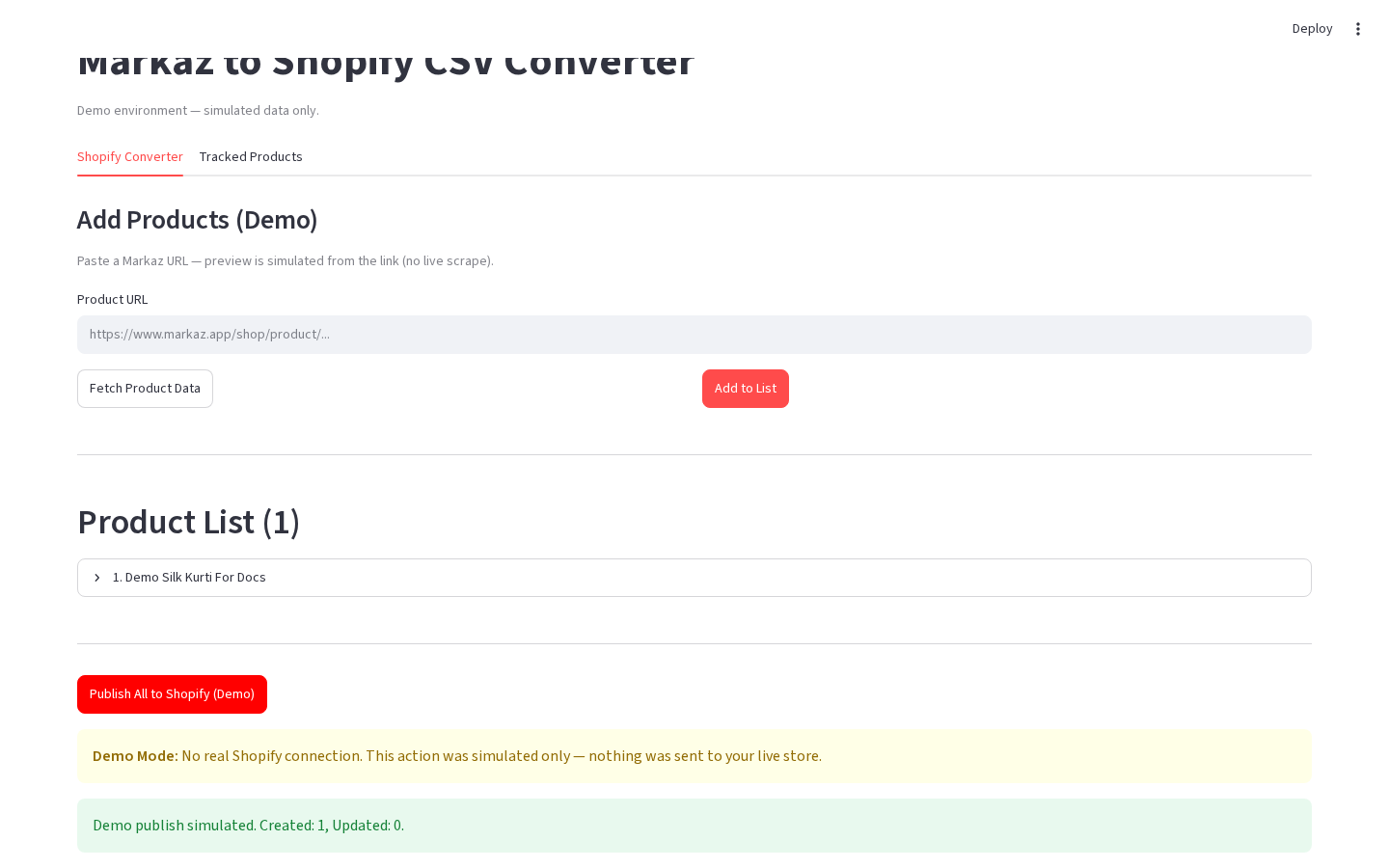
After a publish (or demo publish), the app shows how many products were created or updated, plus any demo / error warnings. You can dismiss the banner and continue working.
Layout at a glance
| Area | Content |
|---|---|
| Success | Created / Updated counts |
| Warning | Demo Mode: no real Shopify connection |
| Action | Dismiss publish results (production) or continue after success message |
Steps
- Run Publish All to Shopify, Publish to Shopify, or a demo publish button.
- Read the success summary (and any warning).
- Click Dismiss publish results if shown.
- Optionally open Shopify Admin (production) to verify products.
Errors & edge cases
- Some products may fail while others succeed — check per-item messages when present.
- Demo always simulates success and shows the demo Shopify alert.
- Dismissing clears the feedback from the session UI only.