Tracked Products — bulk actions
Version: 1.0.0
Route: / → Tracked Products (toolbar)
Who can access: signed-in users
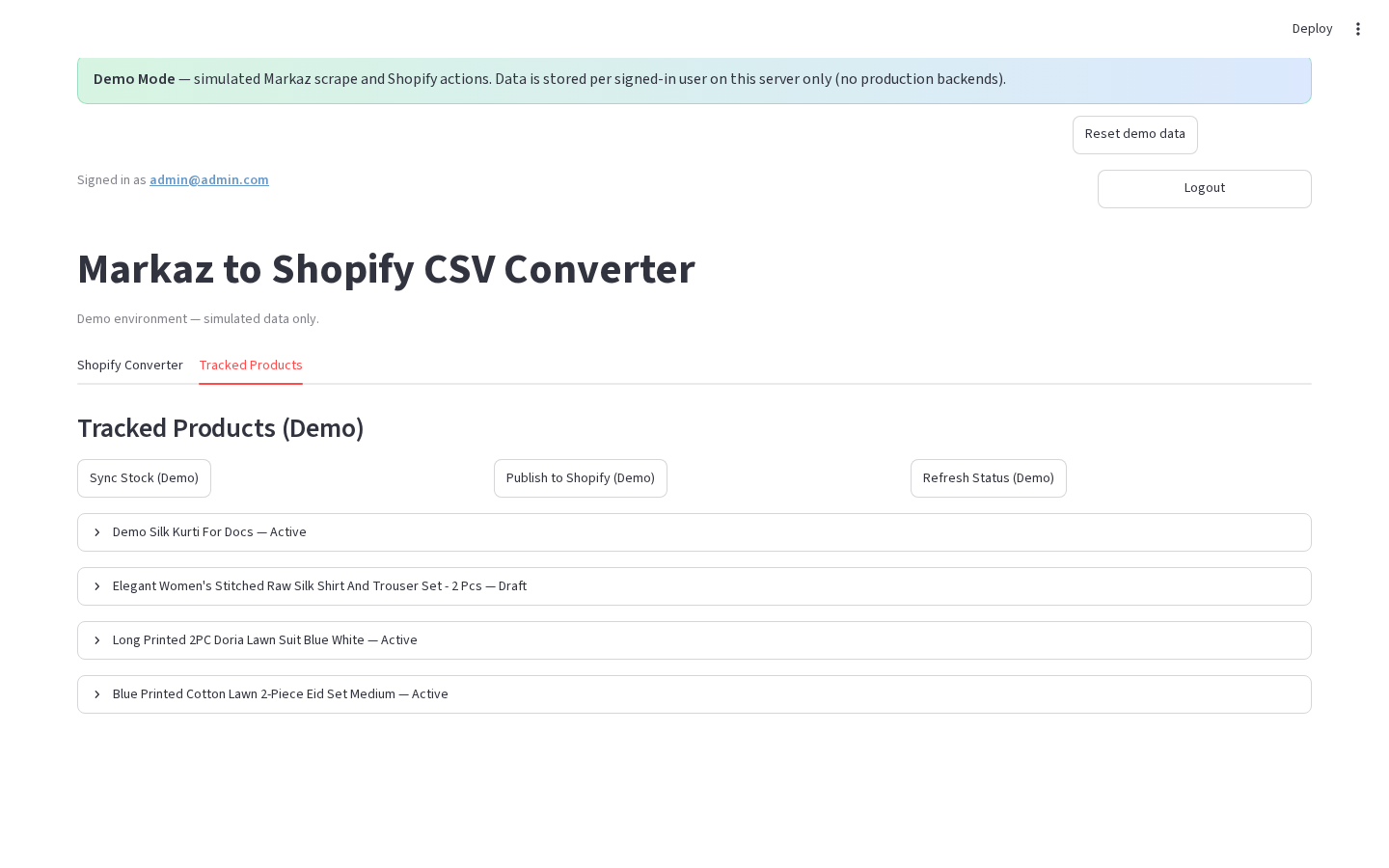
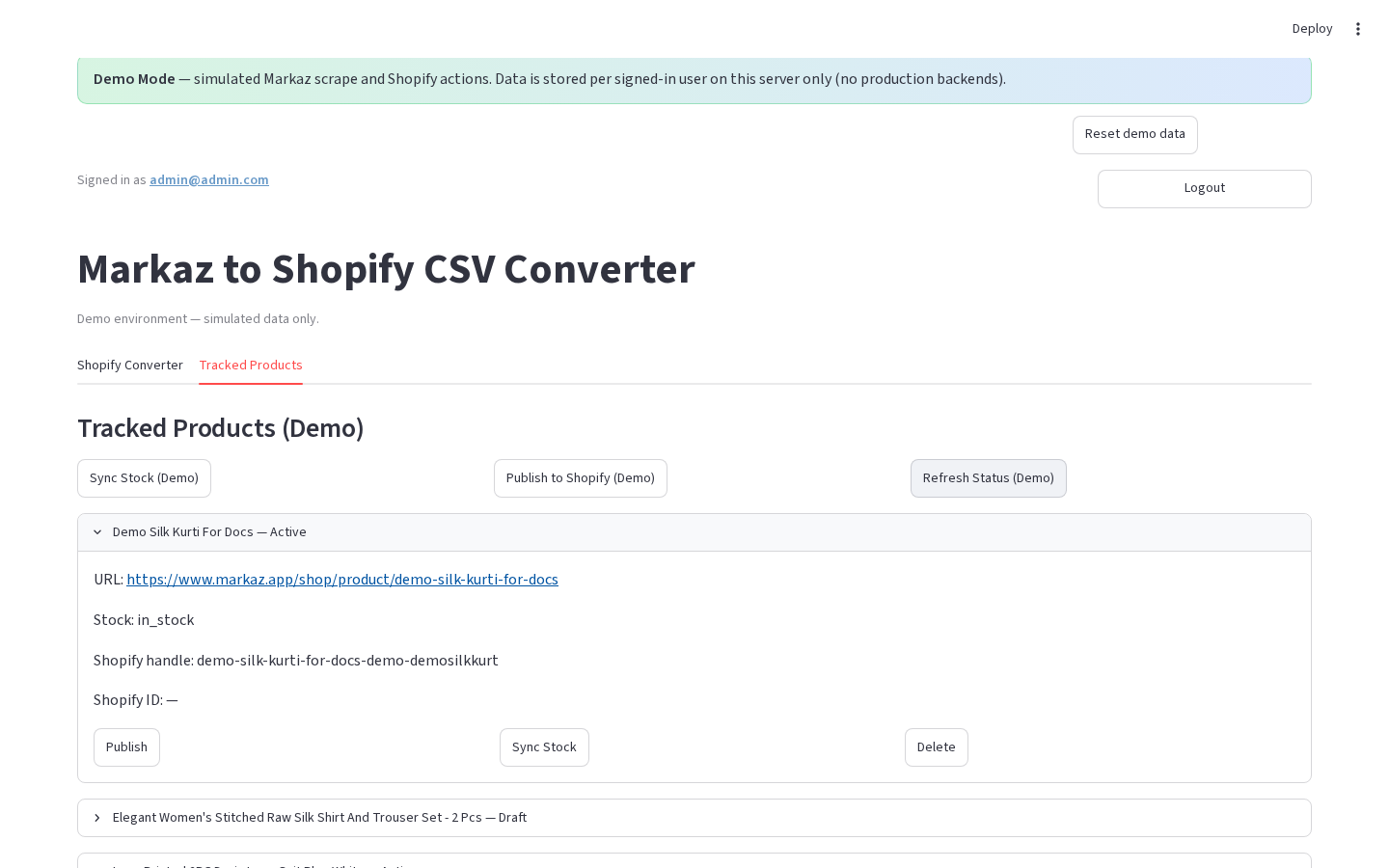
What this page does
Run actions on the filtered tracked set (or the full list in Demo Mode) without opening each card.
Layout at a glance
Production toolbar
| Button | Purpose |
|---|---|
| Reload list | Re-fetch from Supabase |
| Remove duplicate Markaz links | Dedupe storage |
| Refresh All Status | Re-scrape Markaz stock for filtered rows |
| Refresh Shopify Status | Live Active/Draft/Not on Shopify |
| Send to Converter | Load filtered rows into Converter list |
| Sync Stock | Push inventory/status to Shopify |
| Publish to Shopify | Create/update products on Shopify |
| Delete Filtered | Opens confirm → Confirm Delete / Cancel |
Demo toolbar
| Button | Purpose |
|---|---|
| Sync Stock (Demo) | Simulated sync |
| Publish to Shopify (Demo) | Simulated publish |
| Refresh Status (Demo) | Simulated Markaz stock refresh |
Steps
- Open Tracked Products.
- (Production) Set filters so the toolbar applies to the rows you want.
- Click the bulk action you need.
- For delete: read the warning, then Confirm Delete or Cancel.
- Wait for success / warning banners to finish.
Errors & edge cases
- Shopify actions warn or no-op when not configured (demo always warns that Shopify is simulated).
- Delete Filtered removes Supabase rows and can delete linked Shopify products in production.
- Pagination: bulk actions use the filtered set, not only the current page (production).