Demo mode
Version: 1.0.0
Route: streamlit run demo-mode/app.py
Who can access: anyone (built-in demo accounts on the login screen)
What this page does
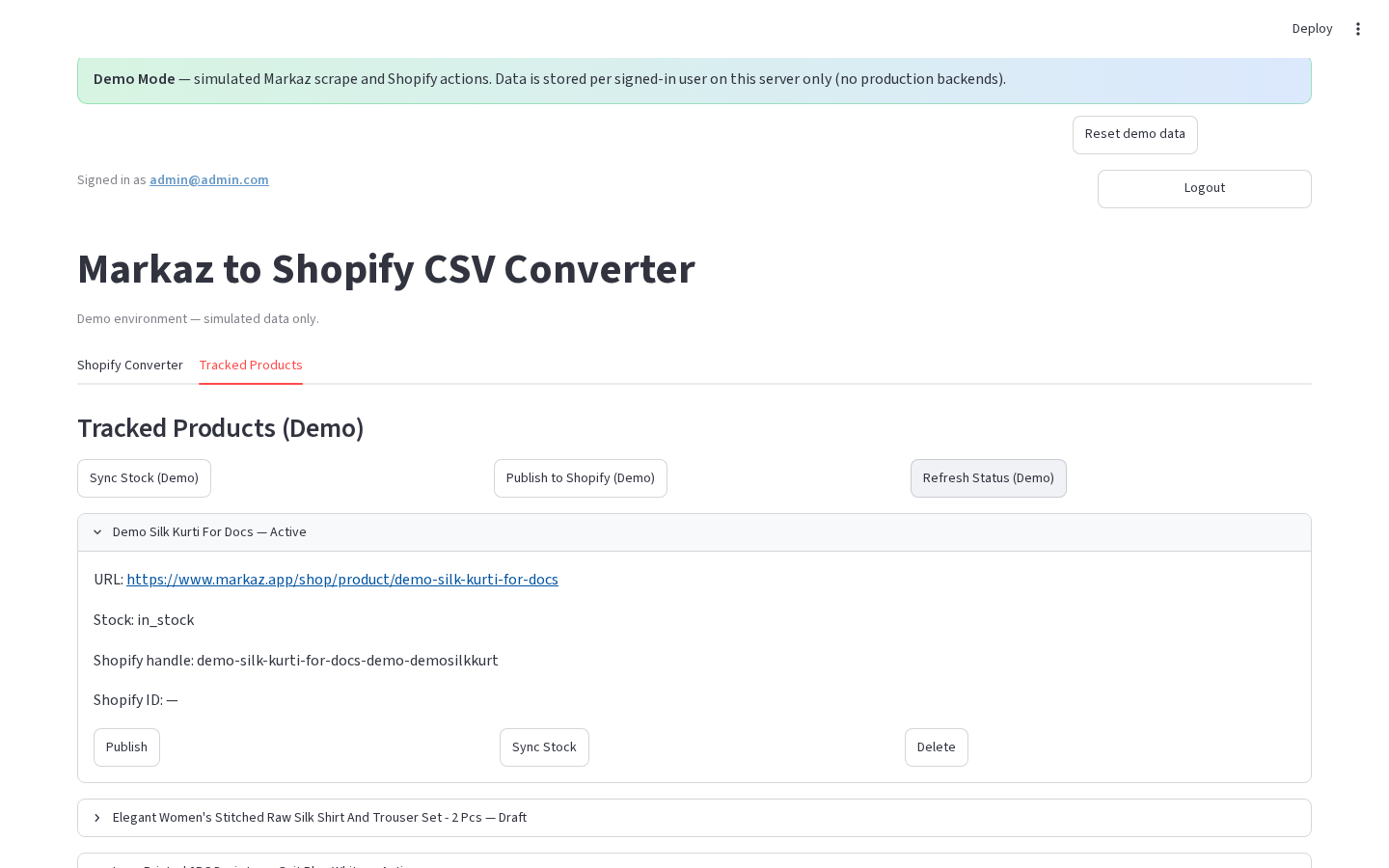
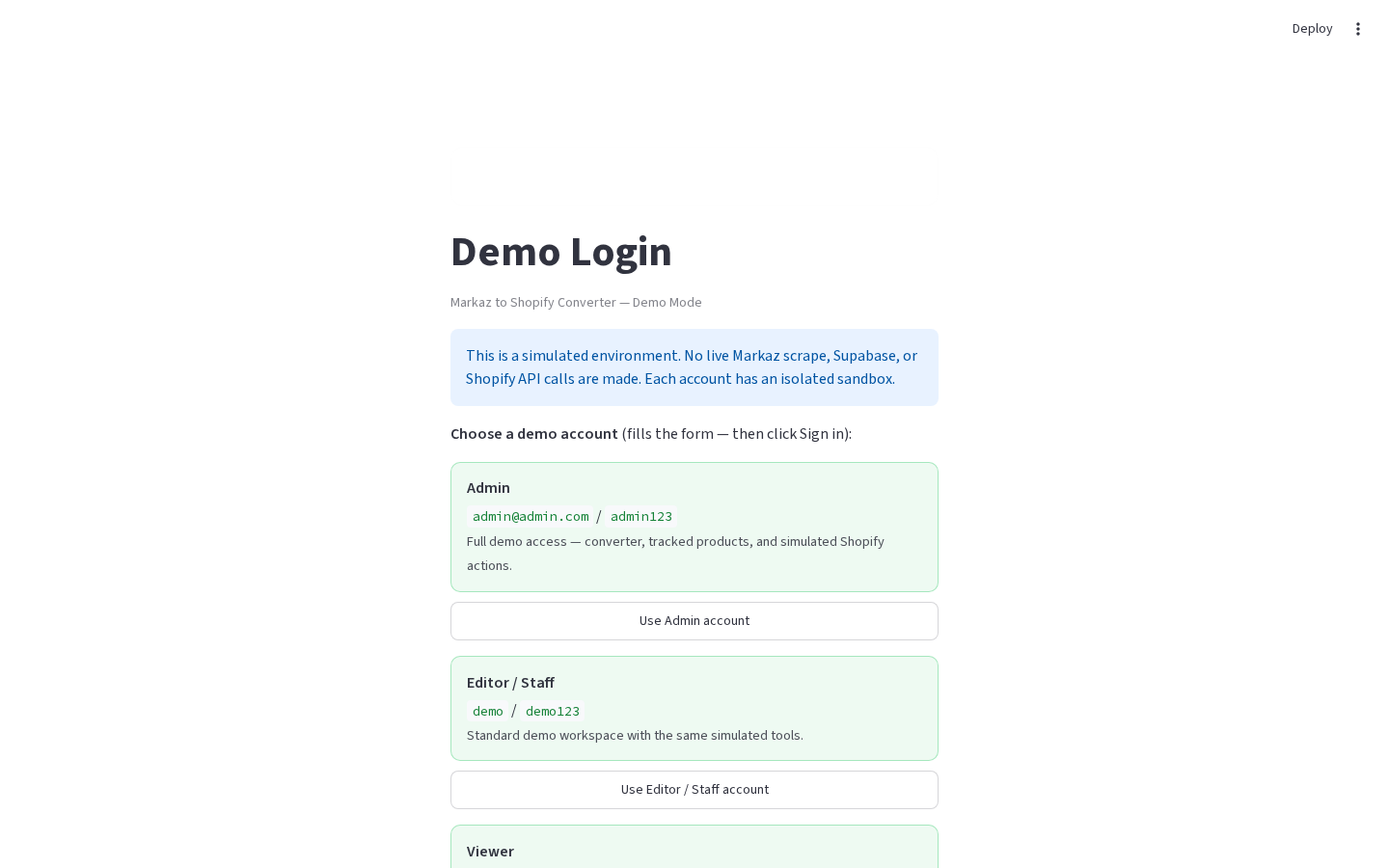
Runs a self-contained demo of the Markaz → Shopify workflow with no Supabase, no live Markaz scrape, and no real Shopify API. Storage is per-user JSON on the server. Deploy Demo Mode separately from the production app.
Layout at a glance
| Area | Content |
|---|---|
| Banner | Demo Mode + Reset demo data |
| Login | Account cards · Sign in to Demo |
| Nav | Tabs: Shopify Converter · Tracked Products |
| Converter | Single URL · Fetch / Add · Publish All (Demo) |
| Tracked | Seeded products · Sync / Publish / Refresh (Demo) |
Steps
-
From the repo root:
streamlit run demo-mode/app.py -
Sign in using the account cards on the login screen (credentials are shown there).
-
Try Converter fetch/add and Tracked bulk/row actions.
-
Expect demo warnings on Shopify publish/sync.
-
Optional: click Reset demo data to restore the seeded sandbox for the signed-in user.
Demo vs production
| Feature | Demo | Production |
|---|---|---|
| Secrets | None | Required |
| Scrape | Simulated from URL | Playwright |
| Storage | demo-mode/data/users/{username}/ | Supabase |
| Shopify | Simulated | Admin API |
| Add modes | Single URL only | Single / Multiple / Category |
| CSV download | Not in demo UI | Yes |
| Filters / pagination | No | Yes |
| Section control | Tabs | Horizontal radio |
| Deploy | Separate Streamlit entry | app.py / Vercel API |
First login seeds 3 professional tracked products. Handles are prefixed with demo-.
Errors & edge cases
- Role labels do not change permissions; sandboxes are isolated per username.
- Clearing
demo-mode/data/users/{username}/resets that user’s store. - Live demo URL is stored only in
demo-mode/demo.json→live_demo_url(no passwords there).