Tracked Products tab
Version: 1.0.0
Route: / → section Tracked Products
Who can access: signed-in users
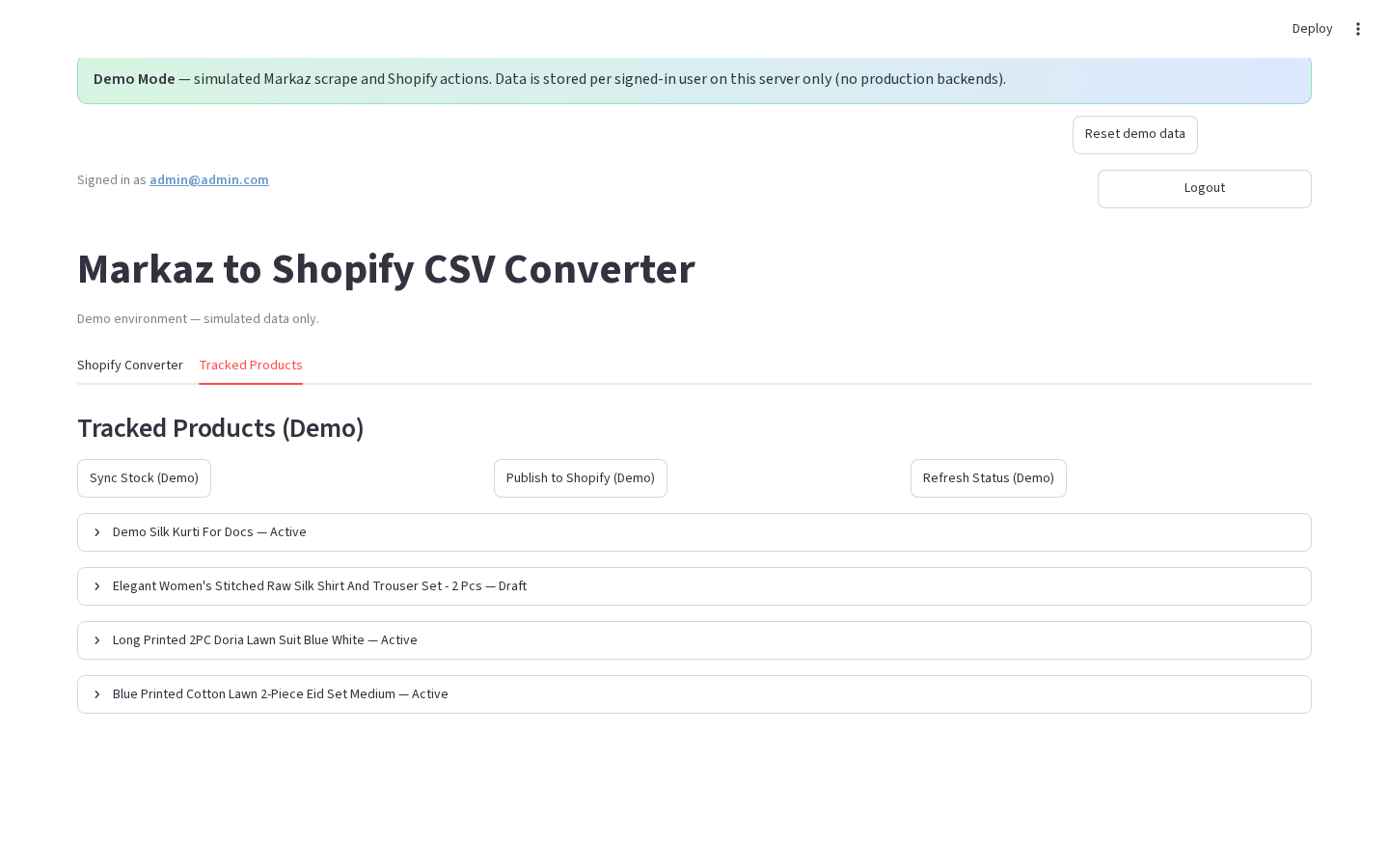
What this page does
Lists Markaz URLs saved when you add products in the Converter. You can filter, refresh stock/Shopify status, sync, publish, or delete.
Layout at a glance
| Area | Content |
|---|---|
| Header | Tracked Products / Tracked Products (Demo) |
| Toolbar | Bulk action buttons |
| Filters | Markaz stock + Shopify status radios (production) |
| List | Expandable product cards |
| Pagination | ← Prev / Next → (50 per page, production) |
Steps
- Switch to Tracked Products.
- Confirm rows exist (seeded in demo on first login; otherwise add via Converter).
- (Production) Apply filters if needed.
- Expand a row for details and per-card actions — see Tracked product card.
- Use bulk buttons — see Tracked bulk actions.
Filters (production)
| Control | Options |
|---|---|
| Filter by Markaz stock | All · In Stock · Out of Stock · Unknown |
| Filter by Shopify status | All · Not on Shopify · Active · Draft · Archived |
| Auto-sync to Shopify after Refresh All Status | checkbox (default on) |
Permissions
| Action | Notes |
|---|---|
| View list | Requires Supabase in production; JSON files in demo |
| Edit / Delete / Publish | Available to all signed-in users |
Errors & edge cases
- Production without Supabase → warning and empty tracked UI.
- Empty list → info to add products from the Converter.
- Demo handles are prefixed with
demo-.