Login
Version: 1.0.0 · Released: 2026-09-08
Route: /login
Who can access
Anyone who can open the app URL. Only valid accounts can enter the dashboard. There is no public sign-up on this screen.
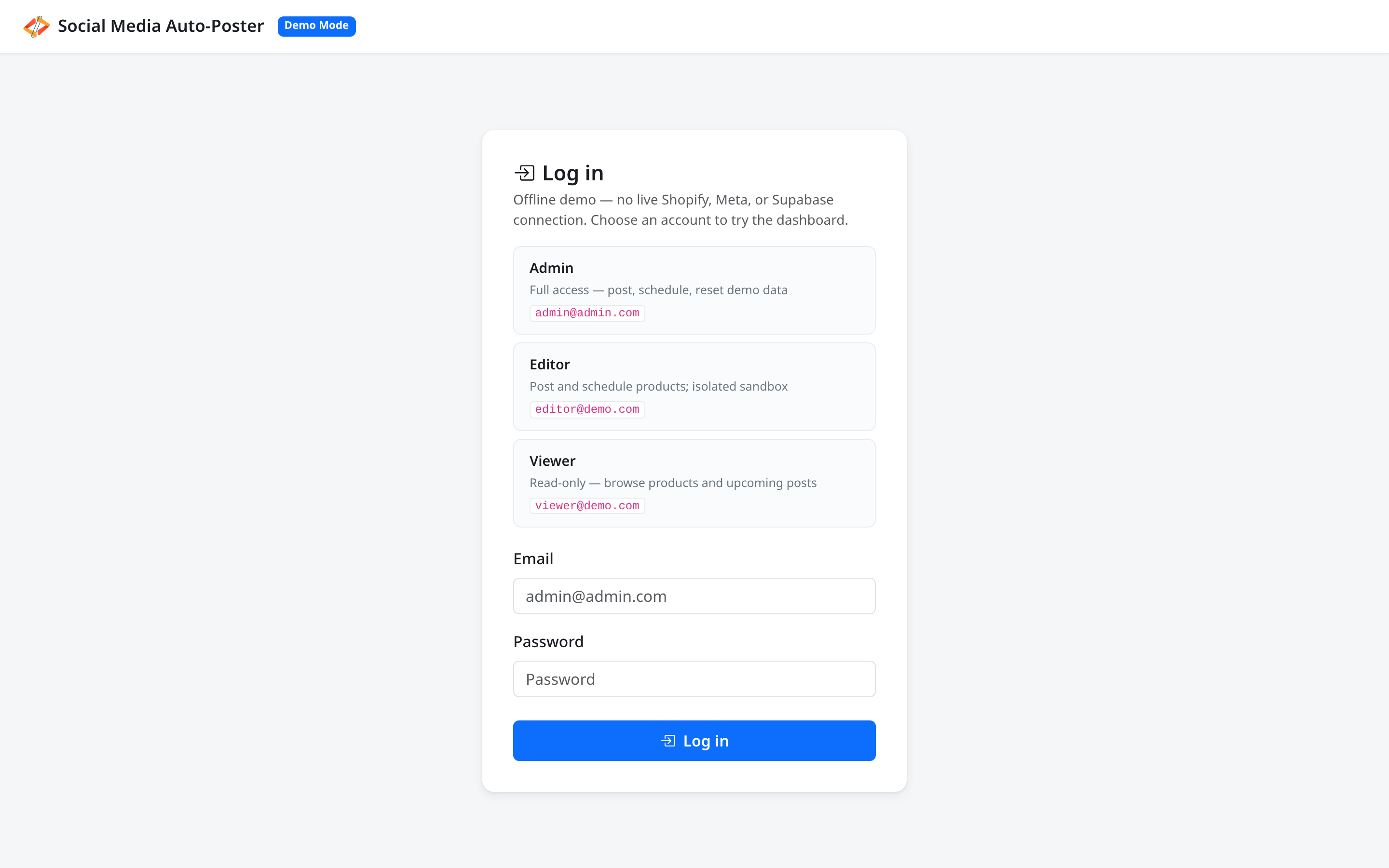
In Demo Mode, account cards appear above the form so trainees can try Admin, Editor, or Viewer without guessing. Prefer those cards in demos; the Email and Password fields remain available if needed.
Screenshots
What this page does
Confirms who you are, then opens the Product Dashboard. Unauthenticated visits to / redirect here.
Layout at a glance
| Element | Label / content |
|---|---|
| Header | Social Media Auto-Poster with Demo Mode badge (in demo) |
| Title | Log in |
| Demo hint | Offline demo note and account cards (Demo Mode only) |
| Account cards | Admin, Editor, Viewer (with short role description and email) |
| Fields | Email, Password |
| Submit | Log in |
Steps — sign in with a demo account card
- Open
/login. - Read the short offline-demo note under Log in.
- Click the card for the role you want (for example Admin or Viewer).
- The form fills and submits; you land on Product Dashboard (
/).
Steps — sign in with the form
- Enter Email.
- Enter Password.
- Click Log in (or press Enter).
- On success, you are redirected to
/.
Fields
| Field | Required | Notes |
|---|---|---|
| Yes | Placeholder example appears in Demo Mode | |
| Password | Yes | Placeholder: Password |
Permissions after login
| Account (Demo Mode) | Access |
|---|---|
| Admin | Full: post, schedule, Reset demo |
| Editor | Post and schedule; own sandbox |
| Viewer | Read-only — no Post Now, Schedule, or Reset demo |
Errors & edge cases
| Message | What it means |
|---|---|
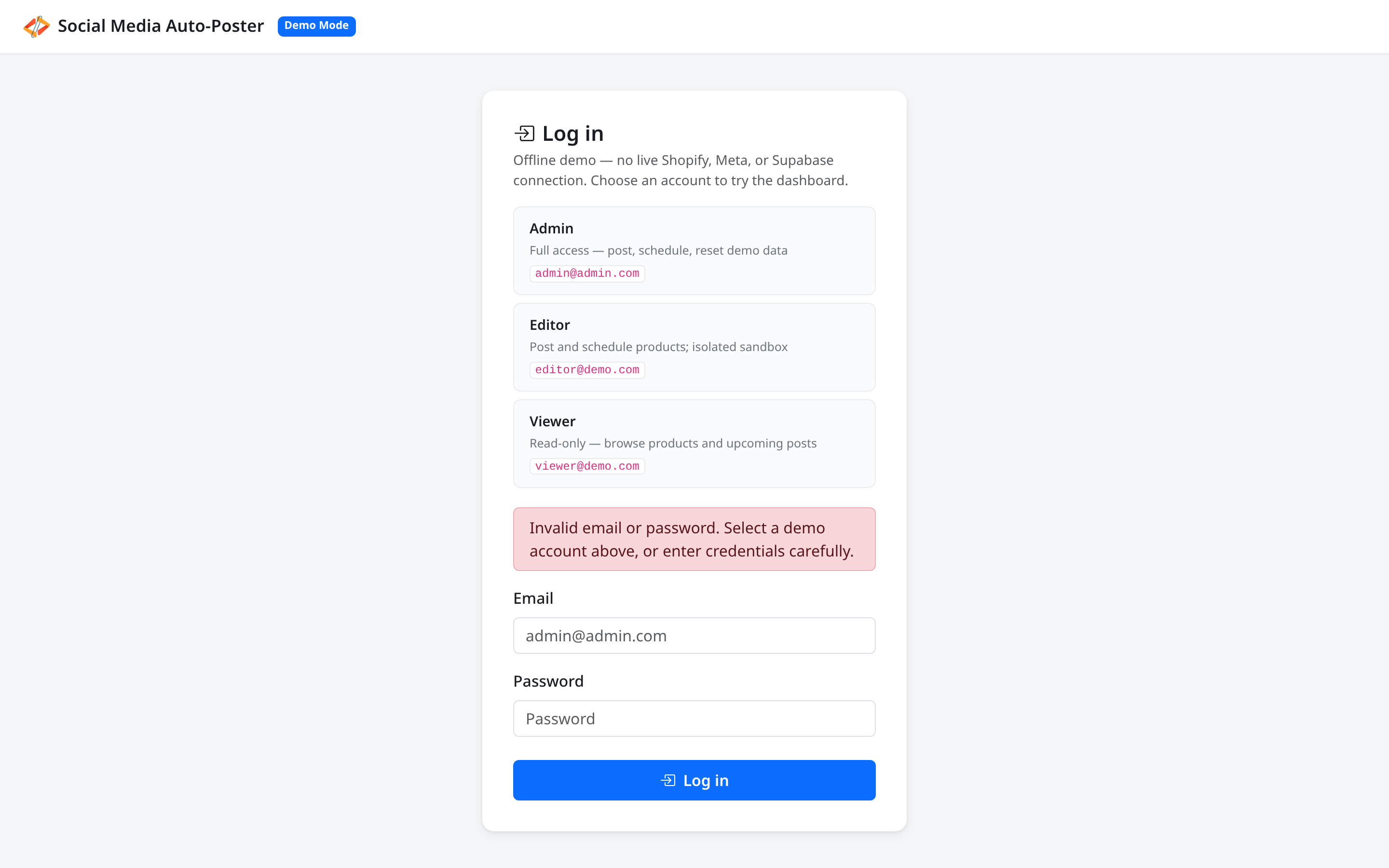
| Invalid email or password. Select a demo account above, or enter credentials carefully. | Credentials were rejected |
| Please enter your email and password. | A required field was empty |
| Please try again. | Generic failure — retry |
- Sessions expire after inactivity; dashboard actions may show Your session has expired. Please log in again. and return you here.
- Log out is in the sidebar Menu, not on this page.