Product cards
Version: 1.0.0 · Released: 2026-09-08
Route: / (main product grid)
Who can access
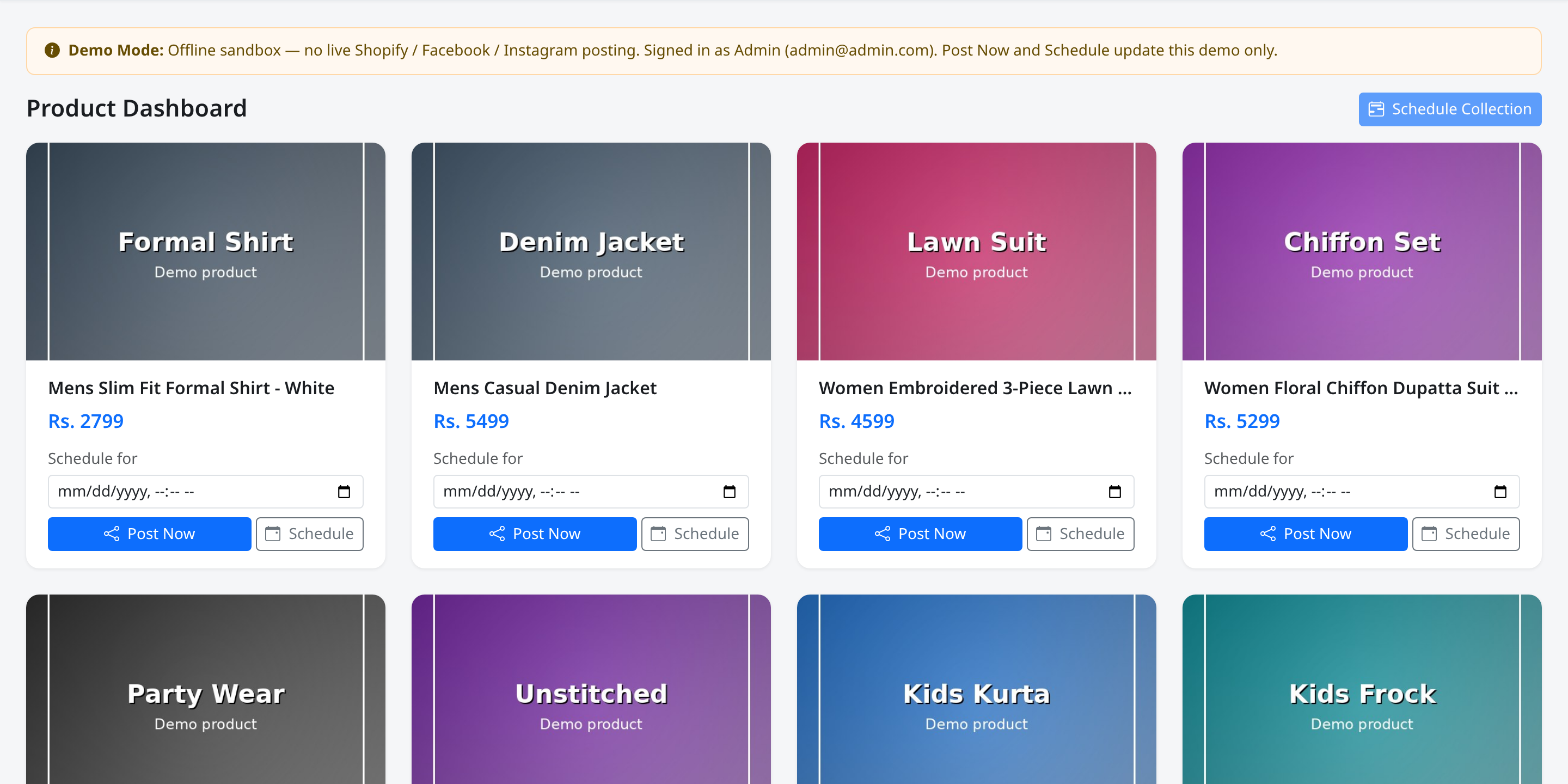
All signed-in users see cards. Post Now and Schedule appear only for Admin and Editor on products that are not already posted or scheduled.
Screenshot
What this page does
Each card represents one product: image, title, price, and (when allowed) scheduling controls. Cards that are already posted show an ALREADY POSTED badge and appear blurred. Scheduled products use a muted blur so they are not scheduled again.
Layout at a glance
| Part | Content |
|---|---|
| Image | Product photo, or No image placeholder |
| Title | Product name |
| Price | Rs. amount (or N/A) |
| Actions (write roles) | Label Schedule for, datetime field, Post Now, Schedule |
| Badge | ALREADY POSTED when published |
Demo collections include sample titles under Mens, Womens, and Kids.
Steps — review a product
- Locate the card in the grid.
- Confirm title and Rs. price.
- If actions are visible, decide Post Now or Schedule.
Steps — open schedule controls
- On an available card, find Schedule for.
- Choose a date and time in the datetime field.
- Click Schedule, or use Post Now without a time for immediate posting.
Fields / actions
| Label | Role |
|---|---|
| Schedule for | Datetime-local input (Pakistan time) |
| Post Now | Immediate publish (demo: marks posted in sandbox) |
| Schedule | Queue for later |
Permissions
- Viewer: Image, title, price only — no action buttons.
- Admin / Editor: Full actions on fresh products.
Errors & edge cases
- Posted cards: blurred, ALREADY POSTED, no actions.
- Scheduled cards: blur effect; actions removed until reset or removal from schedule.
- Missing image: No image block; schedule may refuse without an image URL.