Search and pagination
Version: 1.0.0 · Released: 2026-09-08
Route: / — navbar search and footer under the product grid
Who can access
All signed-in users. Search and pagination do not require write permission.
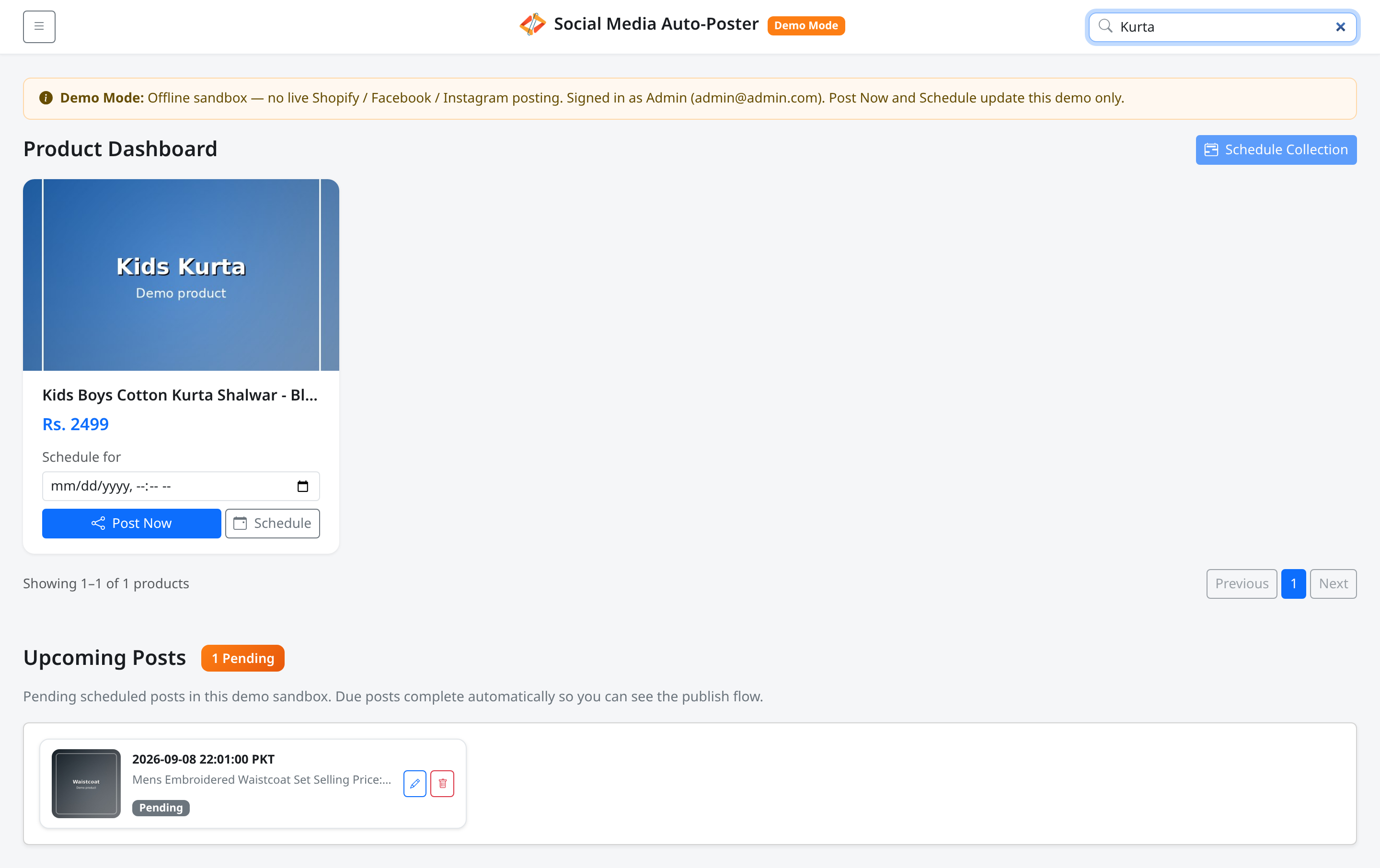
Screenshot
What this page does
Helps you find products by title and move through long lists in pages of 25 products.
Layout at a glance
| Control | Location | Label |
|---|---|---|
| Search | Navbar right | Placeholder Search products... |
| Count | Below grid | Showing X–Y of Z products (or Showing 0 of 0 products) |
| Pager | Below grid | Previous, numbered pages, Next |
Steps — search
- Click Search products....
- Type part of a title (matching is case-insensitive).
- The grid updates immediately; page resets to 1.
- Clear the box to restore the full current collection filter.
Steps — change page
- Check Showing … of … products.
- Click Next or a page number.
- Click Previous to go back.
- Previous is disabled on page 1; Next is disabled on the last page.
Fields / behavior
| Behavior | Detail |
|---|---|
| Page size | 25 products |
| Combined filters | Collection from Menu + search text |
| Empty result | Count shows zero; grid has no visible cards |
Errors & edge cases
- Search only matches product titles, not prices or collection names.
- Selecting a collection while searching applies both filters.
- If the filtered set shrinks below the current page, the pager moves you to a valid page automatically.