Show Published/Scheduled toggle
Version: 1.0.0 · Released: 2026-09-08
Route: / — switch inside Menu
Who can access
All signed-in users, including Viewer.
Screenshots

What this page does
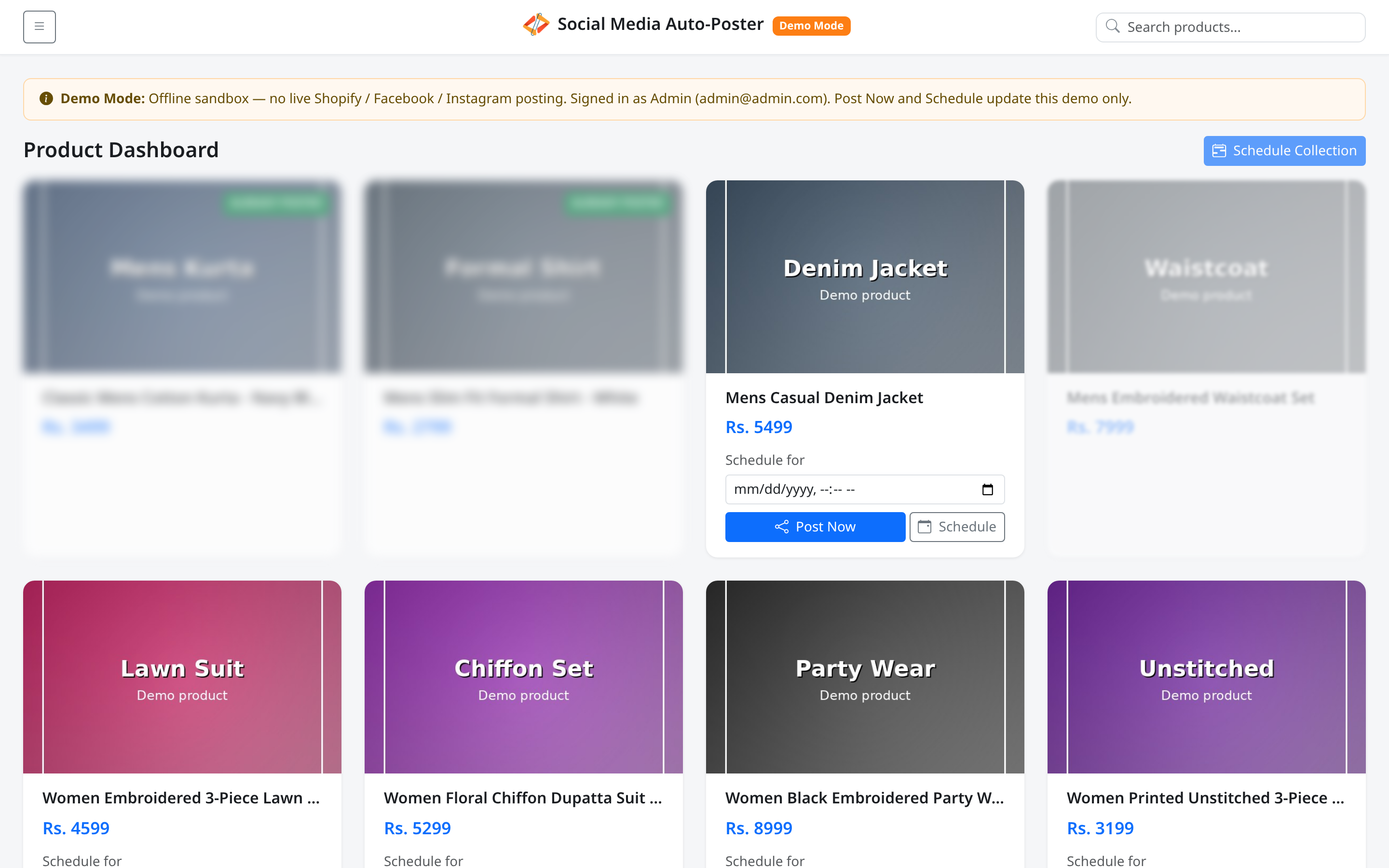
Controls whether products that are already posted or scheduled appear in the main grid. Off (default) keeps the list focused on items still available to post. On reveals posted and scheduled cards so you can audit what was handled.
Layout at a glance
| Control | Label |
|---|---|
| Switch | Show Published/Scheduled |
| Placement | Bottom of Menu, above Log out |
Steps — show published and scheduled
- Open Menu.
- Turn on Show Published/Scheduled.
- Wait for the page reload.
- Find cards with ALREADY POSTED and/or blur styling for scheduled items.
Steps — hide them again
- Open Menu.
- Turn off Show Published/Scheduled.
- Confirm the reload; only available products remain (unless the catalog is empty).
Permissions
No role restriction — Viewer can use the toggle for browsing.
Errors & edge cases
- Preference is stored in a cookie (
show_posted) for about seven days. - When the toggle is off and everything is posted or scheduled, you may see No products to show with guidance to turn the switch on — see Empty states.
- Visible posted cards remain non-interactive (blurred / badge).