Notifications and toasts
Version: 1.0.0 · Released: 2026-09-08
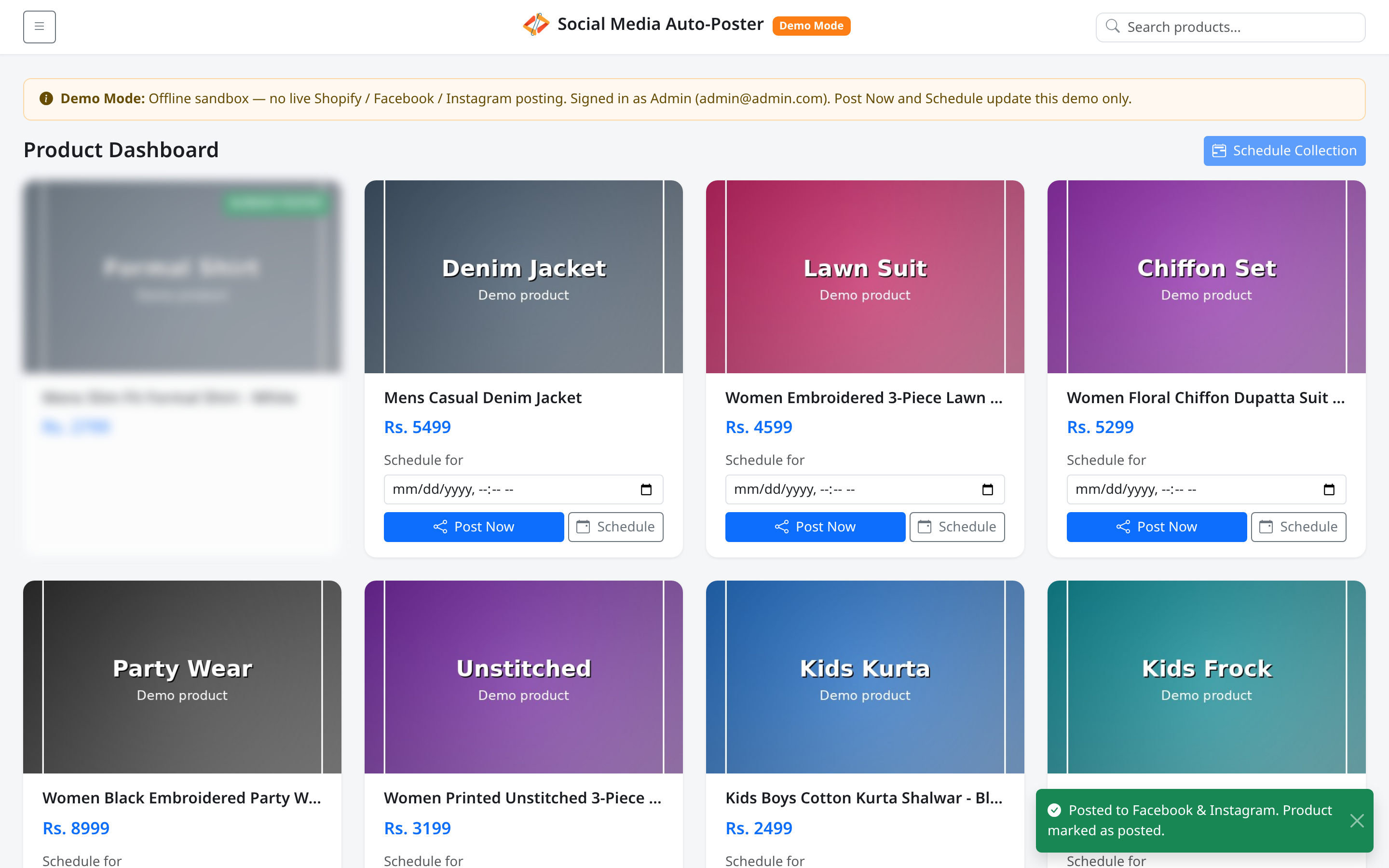
Route: / (and related actions) — floating toasts at the bottom-right
Who can access
All signed-in users may see toasts. Write actions that trigger success/error toasts require Admin or Editor.
Screenshot
What this page does
Gives short confirmation or error feedback without leaving the dashboard. Toasts appear at the bottom-right and dismiss after a few seconds (or via the close control).
Page-level alerts (for example after Post Now redirect) may also appear under the title.
Layout at a glance
| Type | Appearance |
|---|---|
| Success | Green toast with check icon |
| Error | Red toast with alert icon |
| Page alert (success) | Posted to Facebook & Instagram. Product marked as posted. |
| Page alert (warning) | Could not complete the demo post. Please try again. |
Steps — how to read a toast
- Perform an action (Post Now, Schedule, bulk schedule, edit, delete, reset).
- Watch the bottom-right corner.
- Close the toast with the × control if you want it gone sooner.
Common messages
| Toast | Meaning |
|---|---|
| Posted to Facebook & Instagram. Product marked as posted. | Post Now succeeded |
| Post scheduled successfully for … It will go live at that time. | Single schedule succeeded |
| Scheduled N demo post(s) for [collection]. | Bulk schedule succeeded (Demo Mode) |
| Schedule updated to … | Edit saved |
| Post removed from schedule. | Delete succeeded |
| Demo data reset. Reloading… | Reset demo succeeded |
| Your session has expired. Please log in again. | Session ended — redirect to login |
| Please choose a date and time for the scheduled post. | Missing schedule time |
| This demo account is read-only. Sign in as Admin or Editor to post or schedule. | Viewer attempted a write |
| Failed to schedule post… / Failed to schedule collection… | Action failed — retry |
Permissions
Viewer typically only sees session or load-related messages, not posting toasts.
Errors & edge cases
- Multiple actions can stack toasts briefly; each dismisses on its own.
- Confirm dialogs (Remove this post from the schedule?, Reset all demo posts and schedules?) appear before some destructive actions; canceling them produces no toast.