Upcoming posts
Version: 1.0.0 · Released: 2026-09-08
Route: / — section Upcoming Posts below the product grid
Who can access
All signed-in users can view the list. Edit (pencil) and delete (trash) buttons appear for Admin and Editor only.
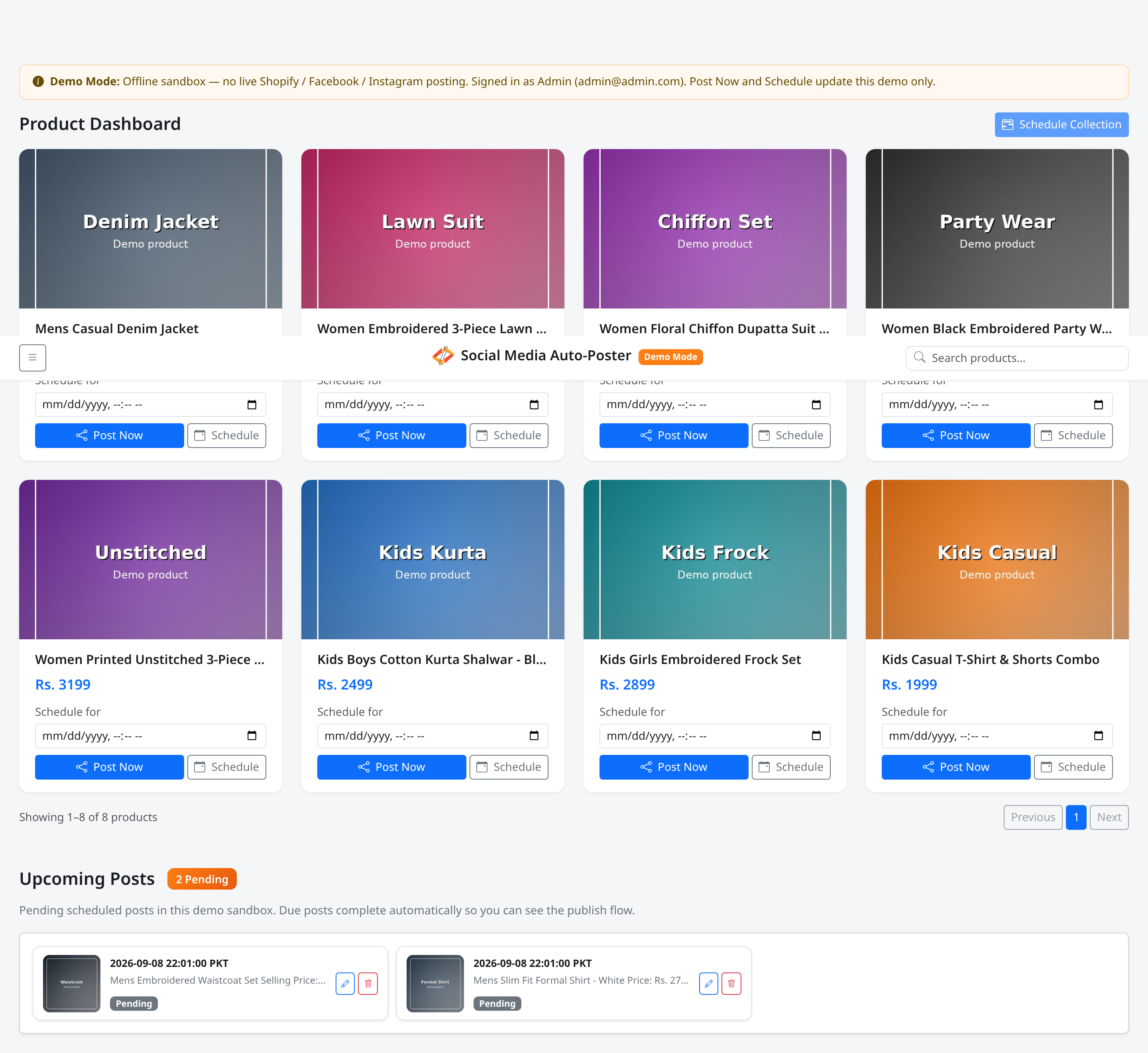
Screenshot
What this page does
Shows pending scheduled posts for the current account sandbox (Demo Mode) or your production queue. You can change the time or remove a post before it publishes.
Demo Mode subtitle: Pending scheduled posts in this demo sandbox. Due posts complete automatically so you can see the publish flow.
Layout at a glance
| Element | Content |
|---|---|
| Heading | Upcoming Posts |
| Count badge | N Pending |
| Card | Thumbnail, time (… PKT), caption preview, Pending badge |
| Actions (write) | Edit time (pencil), Remove (trash) |
Cards use a three-column layout on wider screens and a single column on mobile.
Steps — review pending posts
- Scroll to Upcoming Posts.
- Read the N Pending badge.
- Check each card’s time (with PKT) and caption preview.
Steps — edit a time (Admin / Editor)
- Click the pencil button (Edit time).
- Use the Edit schedule modal.
- Click Save.
Steps — remove a post (Admin / Editor)
- Click the trash button (Remove from schedule).
- Confirm Remove this post from the schedule?
- Confirm the toast Post removed from schedule.
Permissions
| Action | Viewer | Admin / Editor |
|---|---|---|
| View list | Yes | Yes |
| Edit time | No | Yes |
| Remove | No | Yes |
Errors & edge cases
| Message | Meaning |
|---|---|
| No pending scheduled posts. | Empty queue |
| Could not load upcoming posts. | Load failure |
| Loading… | Initial fetch |
- Completed posts leave this list; related products may still appear blurred or as posted depending on status and the visibility toggle.
- Demo Mode auto-completes due items; production relies on the background cron processor.