Dashboard overview
Version: 1.0.0 · Released: 2026-09-08
Route: /
Who can access
Signed-in users only. Guests are redirected to /login.
Viewer sees the same layout without write actions. Admin and Editor see Post Now, Schedule, Schedule Collection, edit/delete on upcoming posts, and Reset demo.
Screenshot
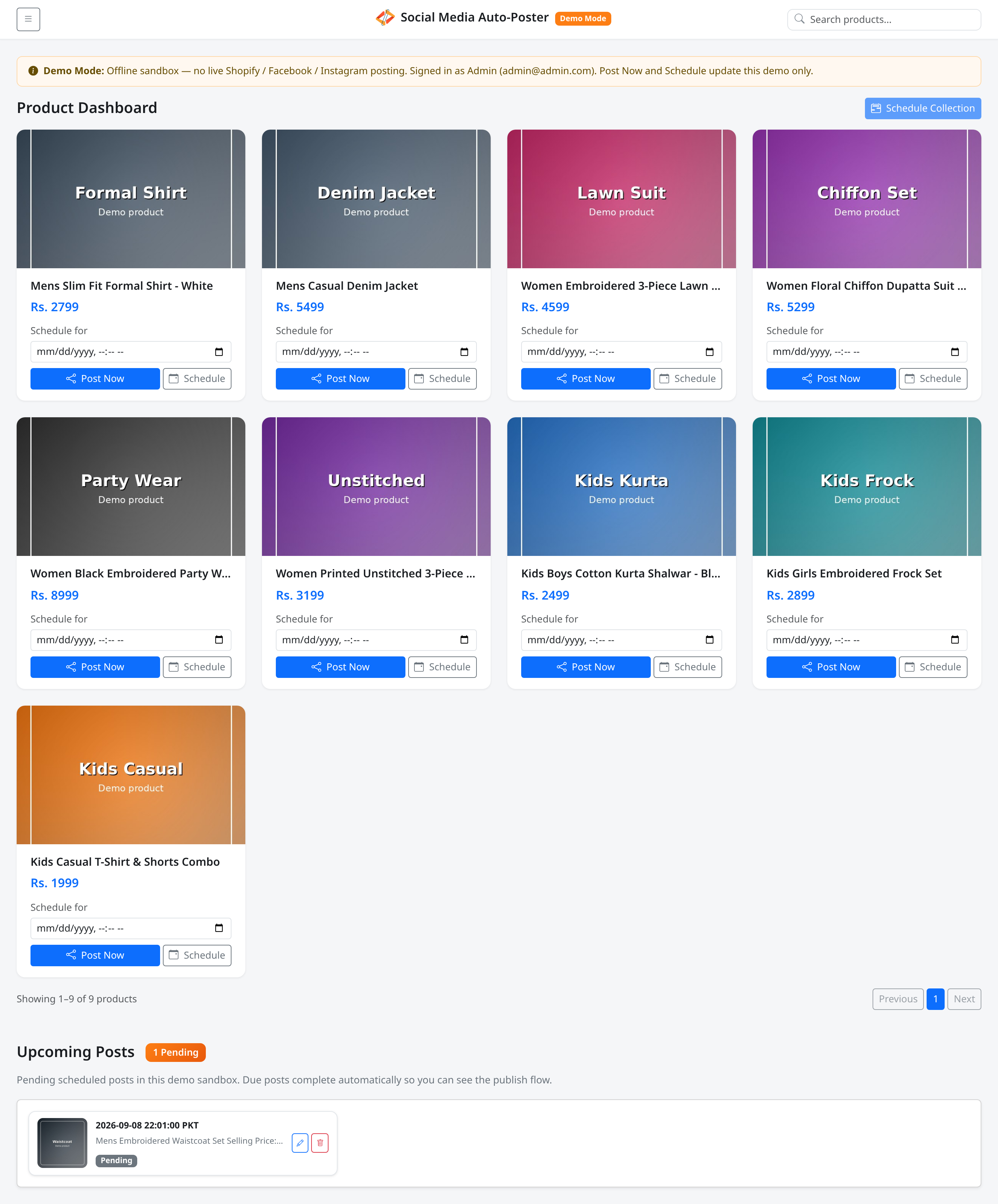
What this page does
Product Dashboard is the main workspace: browse products by collection, search, post or schedule, and manage Upcoming Posts.
In Demo Mode, a banner states you are in an offline sandbox and shows your signed-in role.
Layout at a glance
| Region | Contents |
|---|---|
| Top navbar | Menu button, brand (Social Media Auto-Poster + Demo Mode), Search products... |
| Demo banner | Offline sandbox notice and role (Demo Mode) |
| Title row | Product Dashboard (or the selected collection name) and Schedule Collection (write roles) |
| Product grid | Cards with image, title, price, actions |
| Pagination | Showing … of … products, Previous / page numbers / Next |
| Upcoming Posts | Pending schedule cards |
Steps — first visit after login
- Confirm the page title Product Dashboard.
- Read the Demo Mode banner if present.
- Open the menu button to filter by All, Mens, Womens, or Kids.
- Scroll the product grid; use pagination if needed.
- Scroll to Upcoming Posts to review pending items.
Permissions
- Viewer: Browse, search, filter, view upcoming posts.
- Admin / Editor: All of the above plus posting, scheduling, bulk schedule, edit/delete pending posts, Reset demo.
Errors & edge cases
- Empty grid: see Empty states.
- Schedule Collection stays disabled until you select a named collection with schedulable products.
- Posted or scheduled products are hidden by default until Show Published/Scheduled is on.