Edit schedule modal
Version: 1.0.0 · Released: 2026-09-08
Route: / — modal Edit scheduled time from Upcoming Posts
Who can access
Admin and Editor only (pencil button on pending cards). Viewer cannot open this modal.
Screenshot
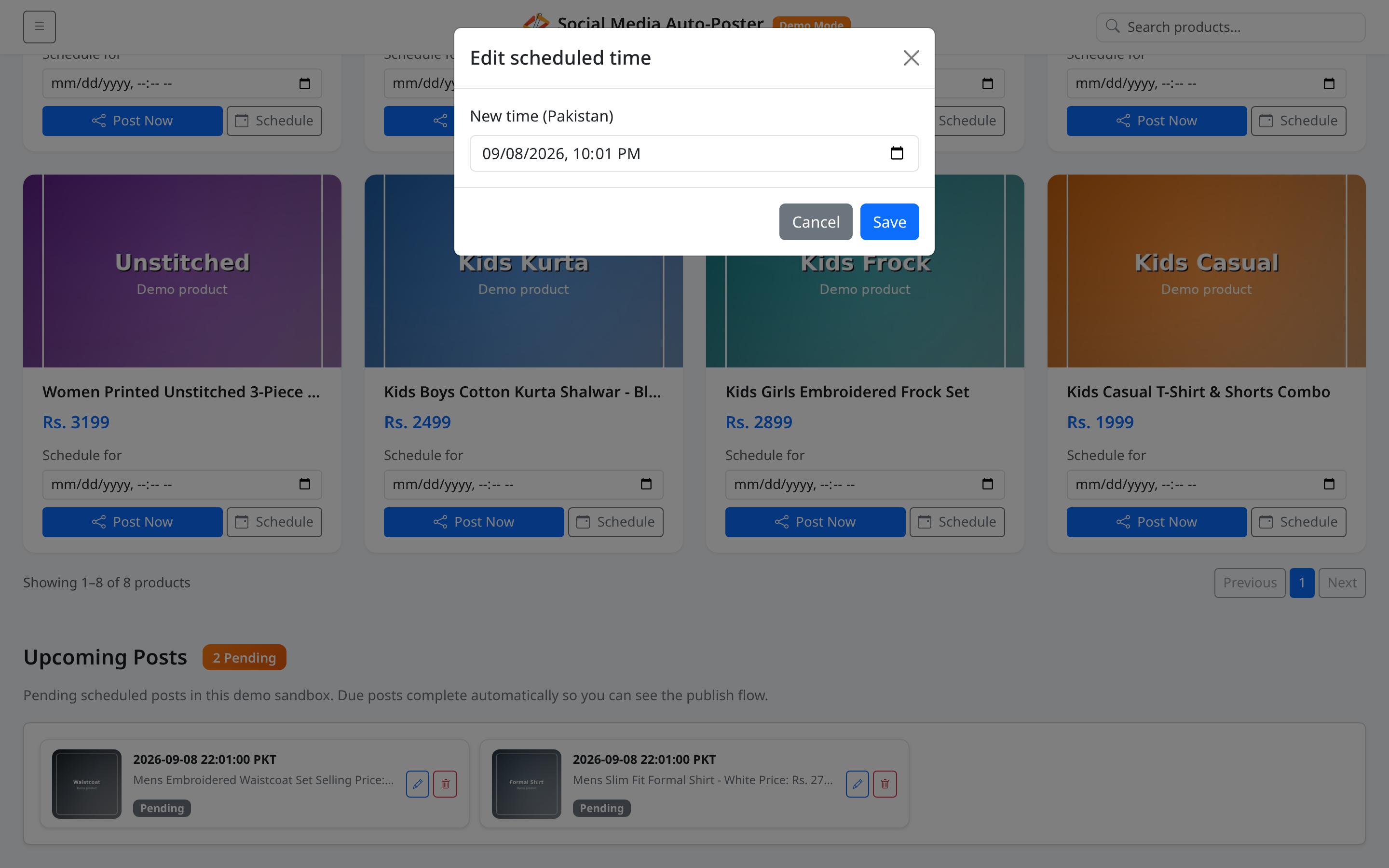
What this page does
Changes the publish time of a Pending scheduled post without deleting it.
Layout at a glance
| Element | Label |
|---|---|
| Title | Edit scheduled time |
| Field | New time (Pakistan) |
| Footer | Cancel, Save |
Steps
- In Upcoming Posts, click the pencil (Edit time) on a Pending card.
- Update New time (Pakistan).
- Click Save.
- Confirm the toast (for example Schedule updated to …).
- Or click Cancel to close without changes.
Fields
| Field | Required | Notes |
|---|---|---|
| New time (Pakistan) | Yes | datetime-local; prefilled from the current schedule when possible |
Permissions
| Role | Edit schedule |
|---|---|
| Admin / Editor | Yes |
| Viewer | No |
Errors & edge cases
| Message | Cause |
|---|---|
| Please choose a date and time. | Empty field on save |
| Schedule updated to … | Success |
| Failed to update schedule. | Request failed |
| Post not found or not pending | Item already completed or removed |
- Only pending items can be edited.
- Display in the list continues to use the PKT suffix after reload of the section.