Post Now
Version: 1.0.0 · Released: 2026-09-08
Route: / (button on each available product card)
Who can access
Admin and Editor only. Viewer does not see Post Now.
Screenshot
What this page does
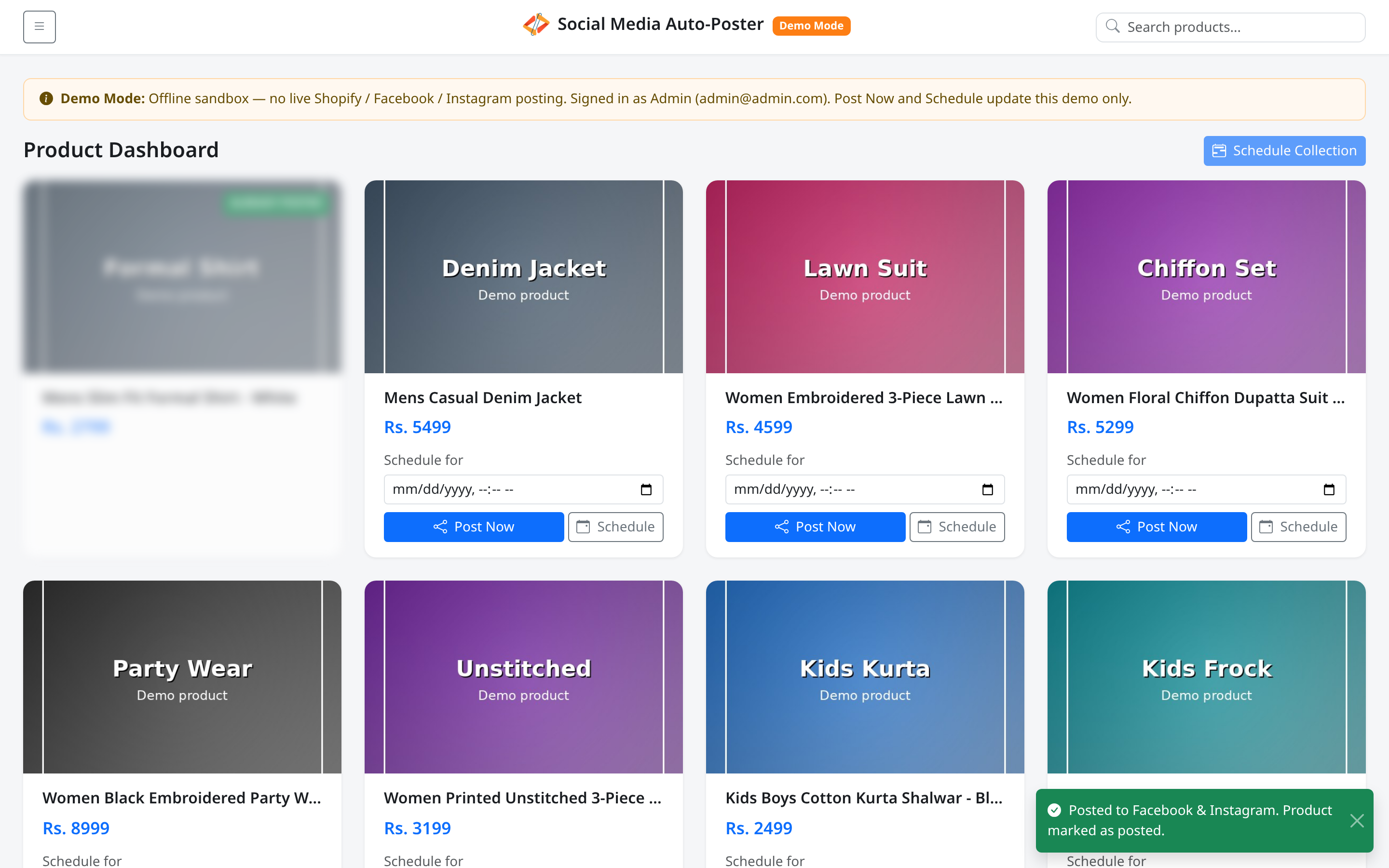
Post Now publishes the product to Facebook and Instagram immediately (in production). In Demo Mode it simulates the same UI flow and marks the product as posted in your offline sandbox — no live Meta call.
Layout at a glance
On a fresh product card (write roles):
- Post Now (primary button with share icon)
- Button label briefly becomes Posting... while the request runs
After success: card blurs, ALREADY POSTED badge appears, action row is removed, and a toast confirms the result.
Steps
- Sign in as Admin or Editor.
- Find a product that still shows Post Now.
- Click Post Now.
- Wait while the label shows Posting....
- Confirm the success toast and the ALREADY POSTED badge.
What is prepared for the post
Caption lines follow this pattern:
- Product title
- Selling Price: Rs. [price]
- Order Now: [product link] (when available)
In production the image is prepared for social size; Demo Mode uses the catalog image and sandbox status only.
Permissions
| Role | Post Now |
|---|---|
| Admin | Yes |
| Editor | Yes |
| Viewer | No |
Errors & edge cases
| Message / behavior | Meaning |
|---|---|
| Toast: Posted to Facebook & Instagram. Product marked as posted. | Success |
| Toast: Product marked as posted (demo). | Demo sandbox success variant |
| Toast: Post Now request failed. Try again or check terminal. | Request failed |
| Toast: This demo account is read-only… | Viewer or blocked write |
| Alert: Could not complete the demo post. Please try again. | Demo failure path after reload |
- Already posted products cannot be posted again until Reset demo (Demo Mode) or equivalent production cleanup.
- Session expiry shows Your session has expired. Please log in again.