Monthly Sale Report
Version: 1.0.0
Route: /monthly-sale-report
Who can access: can_view on monthly-sale-report.
Screenshot(s)
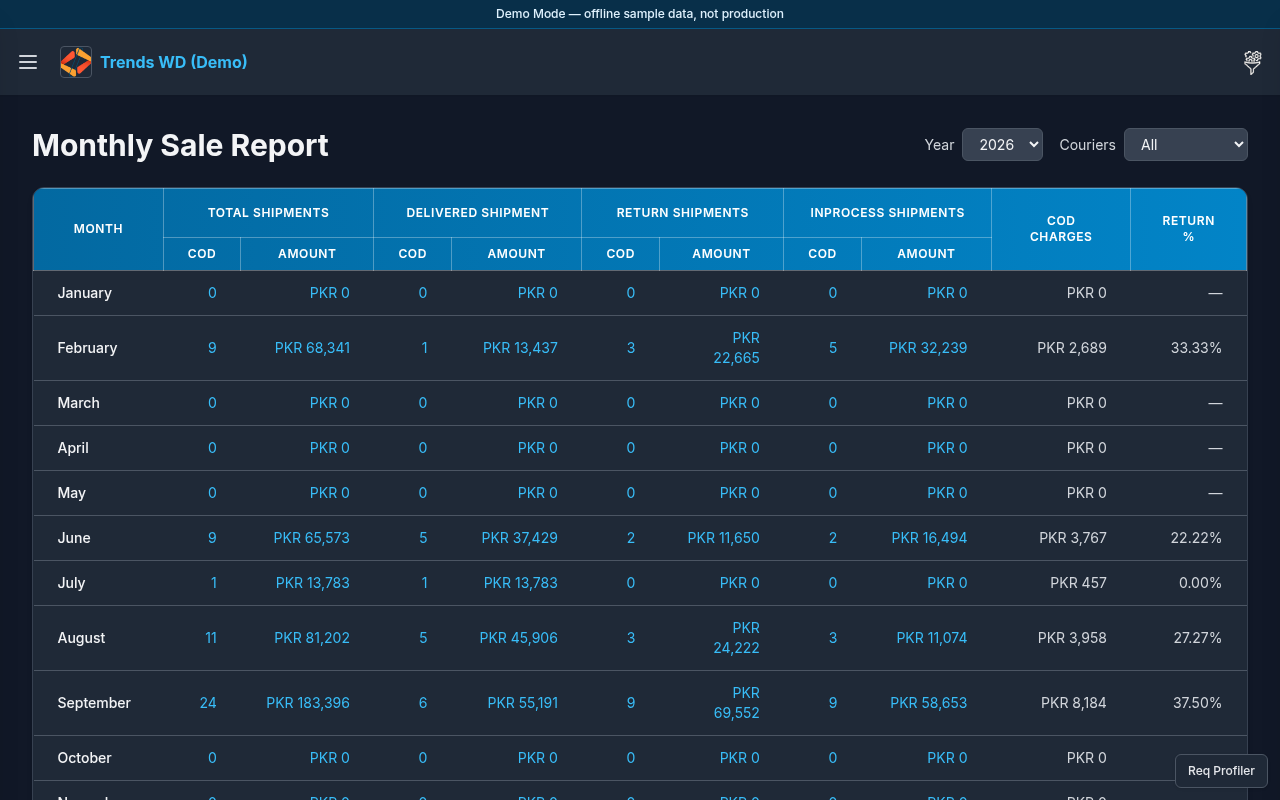
What this page does
Shows COD / sales totals aggregated by month for reporting and reconciliation.
Layout
- Heading Monthly Sale Report
- Month/year selectors or table columns for monthly totals
- Links from Dashboard submenu
Steps
- Click Open menu → Dashboard → Monthly Sale Report.
- Select the year/month controls if present.
- Read monthly totals and drill into row details when the UI offers a popup or link.
- Return via Open menu → Dashboard → Home when finished.
Permissions
page_key: monthly-sale-report — can_view required.
Errors
Empty months usually mean no seeded shipments in that period — switch month/year or use Demo Admin seed data.