Courier Fetch
Version: 1.0.0
Route: /all-courier/courier-fetch
Who can access: Users who can view all-courier (tool appears in Others when can_view('all-courier')).
Screenshot(s)
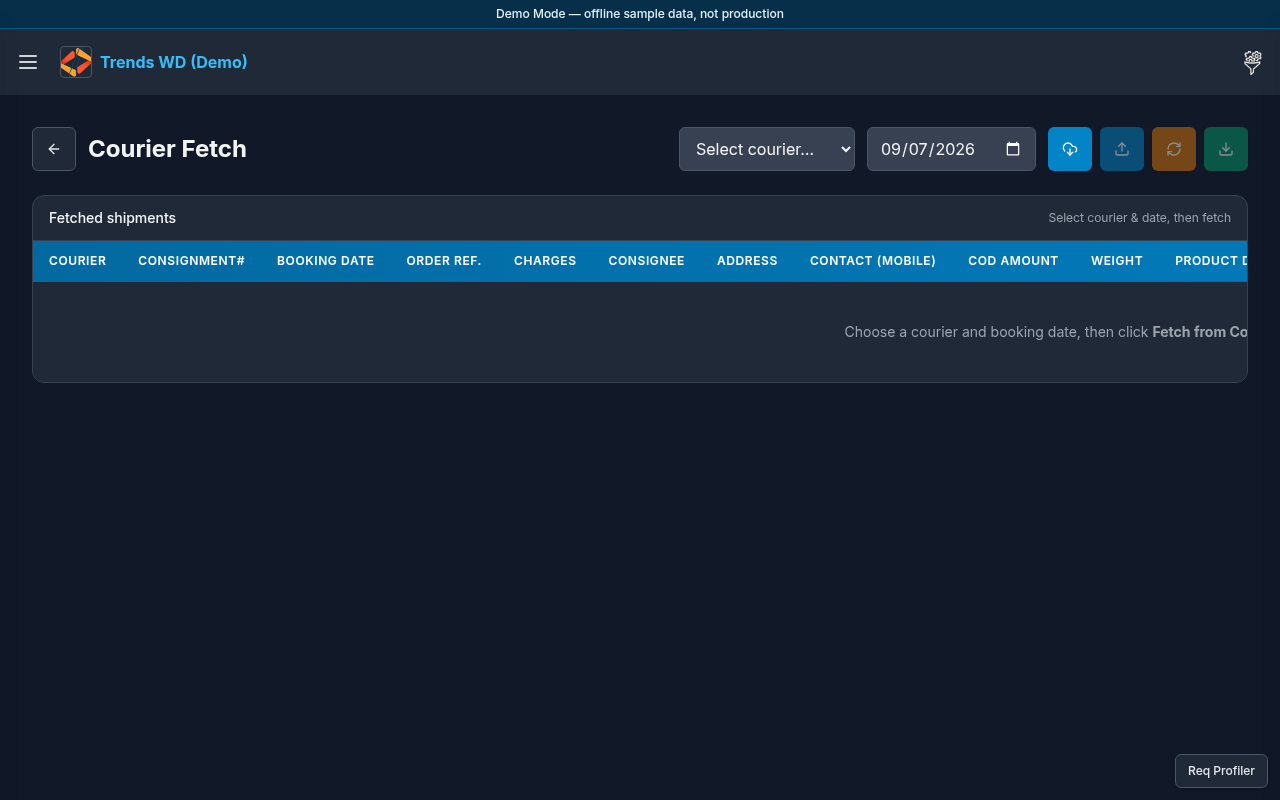
What this page does
Utility to fetch / refresh courier booking or payment-detail style data (mocked in Demo Mode). Reach it from Others or by URL.
Layout
- Heading for Courier Fetch
- Courier / date / consignment inputs and run controls
- Results area for fetched rows or status messages
- Also listed in the Others drawer as Courier Fetch
Steps
- Click the right header tools button to open Others.
- Click Courier Fetch.
- Or go directly to
/all-courier/courier-fetch. - Choose courier and parameters shown on the form.
- Run fetch; in Demo Mode expect a mocked success/sample response rather than a live carrier API.
Permissions
Tied to COD Shipments visibility (all-courier). Admin/editor with view access see the menu item.
Errors
| Situation | Notes |
|---|---|
| Demo Mode mocked message | Expected offline — no real TCS/M&P API call |
| Menu item missing | Role cannot view all-courier |