Day Wise Sale
Version: 1.0.0
Route: /day-wise-sale
Who can access: can_view on day-wise-sale.
Screenshot(s)
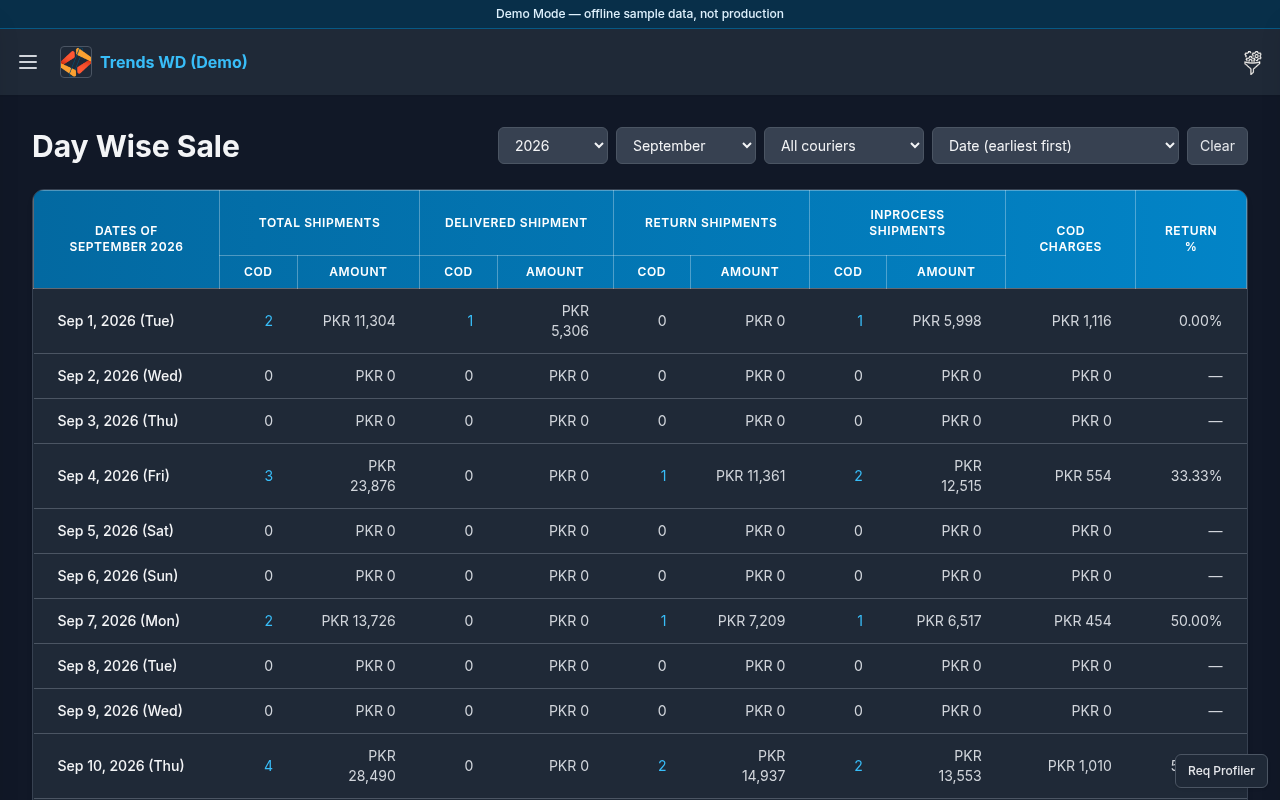
What this page does
Breaks sales/COD activity down by calendar day for the selected period.
Layout
- Heading Day Wise Sale
- Day grid or table with daily counts/amounts
- Standard shell + Dashboard nav item
Steps
- Click Open menu → Dashboard → Day Wise Sale.
- Choose the month/year (or date range) shown on the page.
- Scan day rows for spikes; open any day detail control if available.
- Cross-check with Monthly Sale Report for the same period.
Permissions
page_key: day-wise-sale.
Errors
No day rows → no shipments match the selected period in Demo Mode storage.