COD Payments Setup
Version: 1.0.0
Route: /settings/cod-payments-setup
Who can access: can_view on settings-cod-payments-setup.
Screenshot(s)
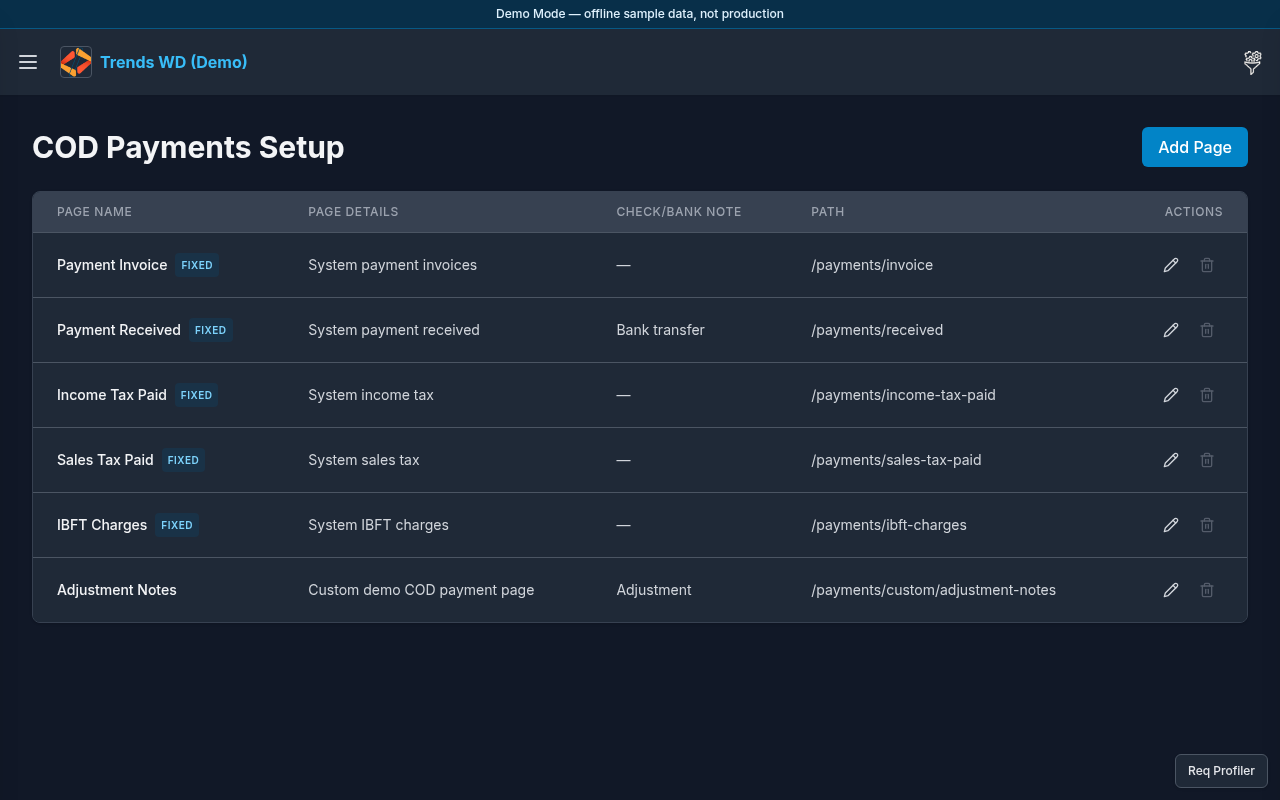
What this page does
Manages system and custom COD payment pages (names, slugs, details, default check/bank notes). System pages include Payment Invoice, Payment Received, tax pages, and IBFT Charges; custom example: Adjustment Notes.
Layout
- Heading COD Payments Setup
- Ordered list of pages with edit/delete
- Add Page / Edit Page modal
Steps
- Click Open menu → Settings → COD Payments Setup.
- Review system pages (locked traits) and custom pages.
- Click Add Page to create a custom page (name, details, slug); save.
- Click edit on a row to change Edit Page fields.
- Delete a custom page only when no entries block deletion (guard message shown if blocked).
Modals
| Modal | Titles |
|---|---|
| Form | Add Page / Edit Page |
| Delete | Delete page? |
Permissions
page_key: settings-cod-payments-setup.
Errors
Delete disabled with reason → page still has payment entries.